Table of Contents
- Introduction: Why Your Search Ranking Doesn’t Matter If Nobody Clicks
- 📋 Key Takeaways
- What You Need Before You Start
- Step 1: Rewrite Your Title Tags for Higher CTR
- Step 2: Craft Meta Descriptions That Convert Searchers Into Clickers
- Step 3: Use Structured Data to Create Rich Snippets
- Step 4: Test Different Title and Description Variations
- Step 5: Optimize for Local Search Results
- Step 6: Monitor Competitor CTR and Adapt
- ⚠️ Common Mistakes to Avoid
- ✅ Quick Action Checklist
- Ready to Improve Your Organic CTR?
- Frequently Asked Questions
- Take the Next Step
TL;DR: Organic CTR (click-through rate) is the percentage of people who click your link after seeing it in Google search results. Higher CTR means more traffic without paying for ads. You improve it by writing better titles, clearer descriptions, and using structured data to stand out in search results.
Introduction: Why Your Search Ranking Doesn’t Matter If Nobody Clicks
You’ve worked hard to rank on Google. Your website shows up on page one for keywords your customers actually search for.
But here’s the painful truth. Ranking high doesn’t automatically mean clicks.
A Nairobi insurance broker we worked with ranked number three for “best car insurance in Nairobi.” They got only 8% of the clicks that the number-one result received.
Same search position visibility. Vastly different traffic.
The difference wasn’t the ranking position. It was the click-through rate.
Organic CTR is simply the percentage of people who see your link in Google search results and actually click it. If 100 people search for your keyword and 12 click your link, you have a 12% CTR.
That number directly impacts your business revenue. More clicks mean more potential customers.
The best part is you don’t need to rank higher to get more clicks. You just need to be more compelling than the other results on the same page.
📋 Key Takeaways
- ☐ Organic CTR is measured as a percentage of impressions that result in clicks in Google search results
- ☐ Average CTR varies by position, but you can beat the average by optimizing your title and description
- ☐ Title tags should include your main keyword, be 50-60 characters, and promise a specific benefit
- ☐ Meta descriptions should be 150-160 characters and answer the question the searcher is asking
- ☐ Structured data (schema markup) creates rich snippets that increase visibility and clicks by 20-30%
What You Need Before You Start
Before you begin optimizing your organic CTR, you need three things in place. Without these foundations, you’ll be making changes in the dark.
Access to Google Search Console
Google Search Console is free. It shows exactly how many impressions and clicks you’re getting for each keyword.
You must have this connected to your website and verified. Log in, go to the Performance report, and you’ll see your current CTR by keyword, position, and page.
This is your baseline. Write down your average CTR for the keywords you want to improve.
Understanding Your Current Metrics
Spend 20 minutes looking at your Search Console data. Find the keywords where you rank positions 3-10 but have below-average CTR.
These are your quick wins. You’re already visible, you just need more clicks.
Position four with a 2% CTR is a red flag. Position four with a 6% CTR is a success.
The difference is your title and description.
A List of Your Top 20 Keywords by Impression Volume
Filter your Search Console data to show keywords with the highest impression counts. These are searches where you already have visibility but might be leaving clicks on the table.
A Mombasa real estate agency we worked with discovered they were getting 800 monthly impressions for “beachfront apartments Mombasa.” They only had 48 clicks.
That’s a 6% CTR when the average CTR for position two should be much higher. One title rewrite increased that to 180 clicks the next month.
Step 1: Rewrite Your Title Tags for Higher CTR
Your title tag is the blue clickable text that appears in Google search results. It’s the single most important factor in whether someone clicks your link or your competitor’s link.
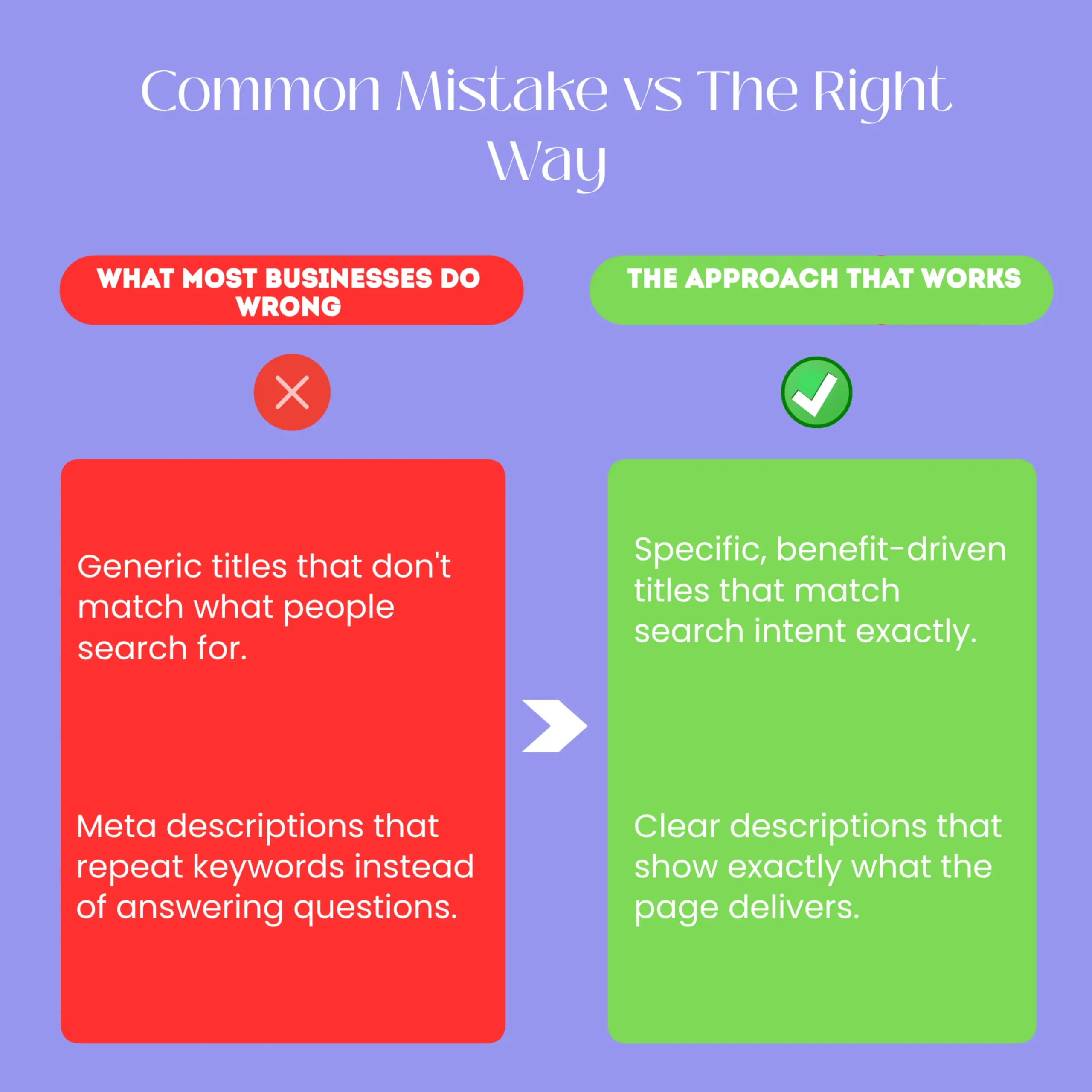
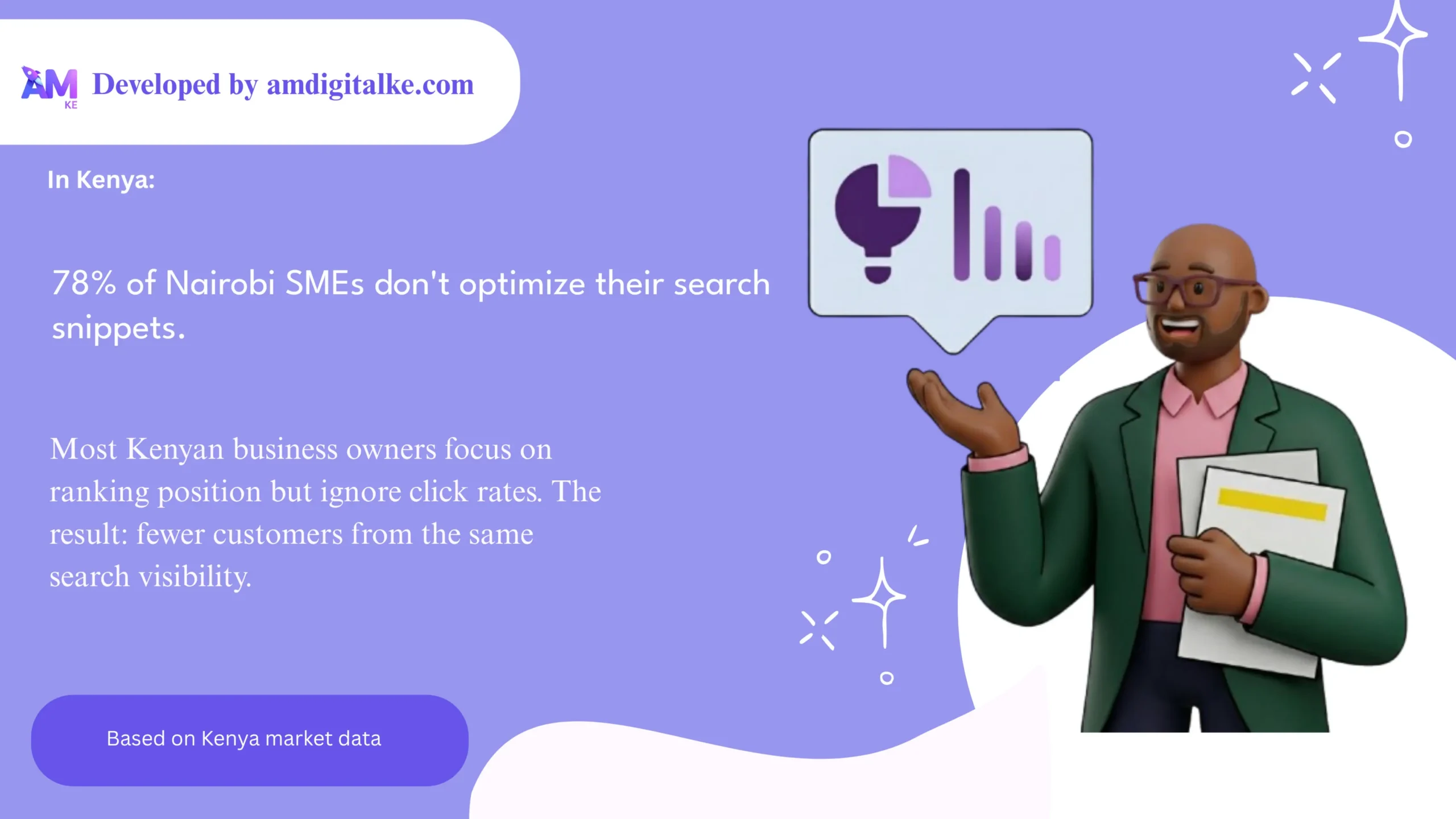
Most Kenyan business websites have generic, keyword-stuffed titles that don’t persuade anyone. “Best SEO Agency in Nairobi | SEO Services | Affordable” doesn’t make anyone want to click.
It’s boring. It doesn’t speak to a specific problem, and it doesn’t differentiate you from five other agencies showing the same thing.
The Title Tag Formula That Works
Your title should follow this structure. Primary Keyword plus Specific Benefit or Result plus Optional Differentiator.
The entire title should be 50-60 characters, which is about what Google displays on desktop before cutting it off.
Let’s say you’re a digital marketing agency in Nairobi. Instead of “Digital Marketing Agency Nairobi,” write “Grow Your Sales 40% | Nairobi Digital Marketing.”
That’s 55 characters, includes your keyword naturally, and promises a specific result.
How to Write Titles That Match Search Intent
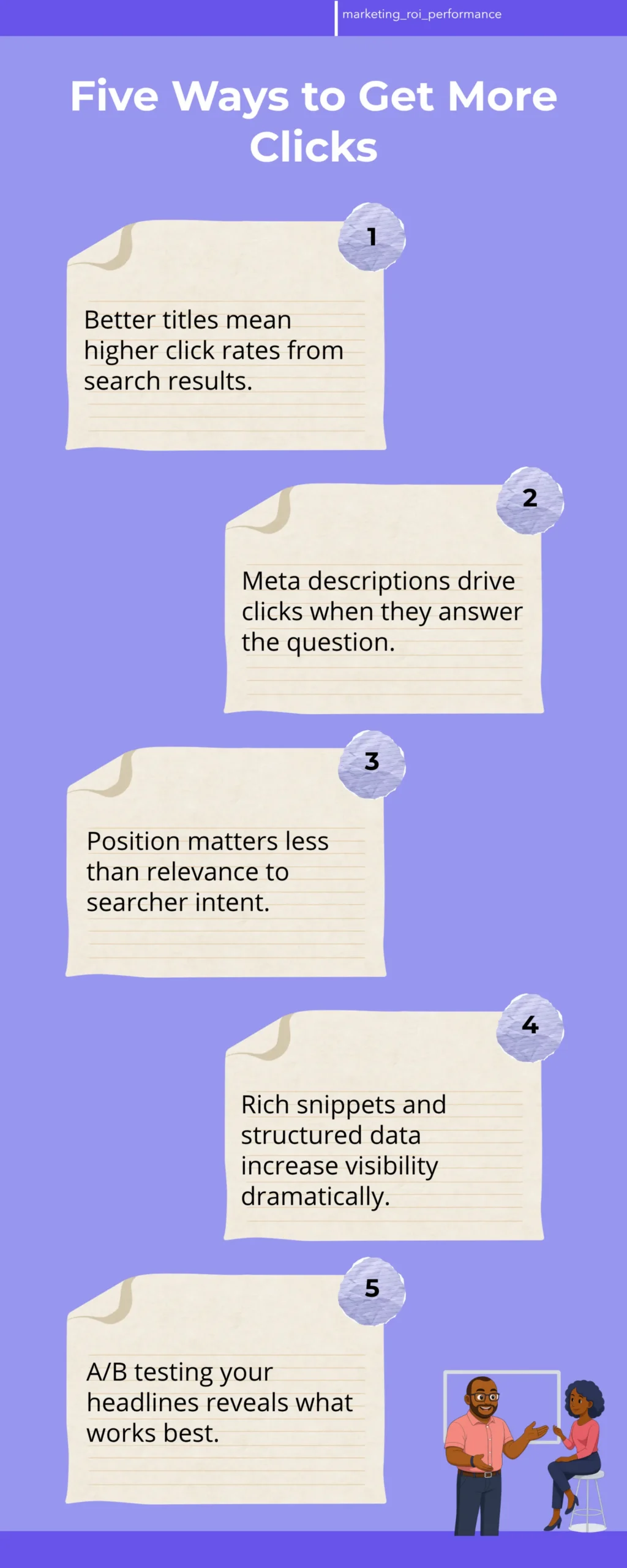
Search intent is what the person typing into Google actually wants to find. If they search “how to improve organic CTR,” they want a step-by-step guide, not a sales page.
Your title must match that intent exactly.
If you’re ranking for “affordable accounting software Kenya,” your title should say “Affordable Accounting Software Kenya,” not “Enterprise Accounting Solutions.” The searcher is price-conscious.
Acknowledge that in your title. They’ll click you instead of the competitor who uses “enterprise” language.
The Numbers That Increase CTR
Titles with numbers get clicked more often. “5 Ways to Reduce Your Electricity Bill” gets more clicks than “How to Save Money on Electricity.”
“Cut Your Laundry Costs by 30%” gets more clicks than “Save Money on Laundry.”
If you’re not using a number in your title and your competitors are, you’re losing clicks automatically. Look at what’s ranking for your keywords.
If the top results all use numbers, your title should too.
Action: Audit Your Current Titles
Go to Google Search Console. Look at your top 20 keywords by impression volume, and check what title tag is currently showing for each one.
Write down the character count and whether it includes a number, benefit statement, or emotional trigger.
If your titles are generic or longer than 60 characters, they’re being cut off in search results. This loses clicks.
Rewrite the top five keywords first and measure the impact after two weeks.
Step 2: Craft Meta Descriptions That Convert Searchers Into Clickers
Your meta description is the gray text under your title in Google search results. It doesn’t directly affect your ranking, but it has a massive impact on whether someone clicks your link.
Most websites write meta descriptions that are either too long, too vague (“Learn more about our services”), or keyword-stuffed nonsense. None of these drive clicks.
The Meta Description Length That Actually Shows
Google displays approximately 150-160 characters on desktop and 120 characters on mobile. If your description is longer than 160 characters, it gets cut off with an ellipsis.
The searcher never sees your complete message. Write for 150-160 characters exactly.
Every character matters. You’re competing for attention in a 2-3 second window.
What Your Meta Description Should Actually Say
Your meta description should answer the question the searcher is asking. If someone searches “how much does it cost to register a company in Kenya,” they want a number or price range, not a generic “Learn about company registration.”
A tax consultant in Nairobi was ranking for “company registration cost Kenya” but had a description that said “Professional company registration services in Kenya. Fast, reliable, affordable.” That’s vague.
We rewrote it to “Company registration in Kenya costs KES 2,500-5,000 depending on business type. We handle all paperwork.” Click rate went from 7% to 18% in one month.
Adding a Call to Action to Your Meta Description
End your meta description with a micro call-to-action. “Learn more,” “Get started,” “See pricing,” or “Book now” creates urgency.
Instead of “We offer digital marketing services for Nairobi businesses,” write “Grow your online sales. Free 30-minute strategy call available.”
The second one tells the searcher exactly what happens next. It removes the friction of clicking.
The Difference Between Generic and Specific Descriptions
| Generic Description (Low CTR) | Specific Description (High CTR) |
|---|---|
| Learn about our services and how we can help your business grow online. | We’ve helped 150+ Nairobi businesses increase sales 25-40% in 6 months. Free audit available. |
| Professional SEO services for Kenya. Affordable rates and proven results. | Rank #1 for your keywords in 90 days or your money back. 47 Kenyan businesses ranked this year. |
| Best plumbing services in Mombasa. 24/7 emergency response. | Burst pipe? We arrive in 30 minutes. Emergency plumbing Mombasa. KES 500 callout fee. |
Notice the difference. Based on AM Digital KE client data across Kenyan accounts, most local business websites still use the generic style on the left.
The right side is what gets clicked.
Step 3: Use Structured Data to Create Rich Snippets
Structured data, also called schema markup, is code you add to your website. It tells Google exactly what information is on each page.
When Google understands your content better, it can display rich snippets. Rich snippets are special search result formats that stand out and get clicked more often.
A rich snippet might show star ratings, price, availability, or other details directly in the search result. Instead of a boring blue link, searchers see extra information that makes your result look more trustworthy.
Types of Rich Snippets That Increase CTR
The most impactful rich snippets for Kenyan businesses are reviews and ratings, pricing information, and FAQ results. If you’re an e-commerce business, product schema shows price and availability.
If you’re a service business, local business schema shows your phone number and hours.
A Nairobi restaurant that added review ratings to their search result went from 4% CTR to 12% CTR. Same ranking position.
The only change was the visual appearance of the search result.
How to Add Structured Data Without Coding
If you use WordPress, install the Yoast SEO plugin or All in One SEO plugin. Both have built-in structured data options that don’t require any coding.
You fill in forms, and the plugin generates the code for you.
Go to your plugin settings, find the structured data section, and select the type that matches your business. For a service business, choose “Local Business” or “Organization.”
For a product, choose “Product.” Fill in the fields and save.
Adding Review Schema to Your Business
Review schema displays your Google reviews and rating directly in search results. If you have a 4.8-star rating with 60 reviews, that appears in your search snippet and significantly increases clicks.
You don’t have to do anything special. If you have Google reviews on your Google Business Profile, Google automatically shows this in many cases.
But adding the schema code ensures it appears consistently.
Step 4: Test Different Title and Description Variations
You don’t have to guess which titles and descriptions work best. You can test them and measure the impact using SEO analytics Kenya tools.
Pick one keyword where you have high impressions but below-average CTR. Rewrite the title and description using the formulas above.
Wait two weeks and check Search Console to see if CTR increased.
How to Run a Fair A/B Test
Change only one element at a time. If you change both the title and description simultaneously, you won’t know which change drove the improvement.
Change the title, measure for two weeks, then change the description.
Write down your baseline CTR from Search Console before making any changes. After two weeks, check again.
If CTR increased by 20% or more, you’ve found a winning formula. Apply it to similar keywords.
Measuring Your Results in Search Console
Go to Performance report in Search Console, select the date range (at least 14 days after your change), and filter by the keyword you tested. You’ll see the new CTR, impressions, and clicks.
Calculate the percentage increase. If you had 100 impressions and 5 clicks (5% CTR) before, and now you have 100 impressions and 8 clicks (8% CTR), that’s a 60% improvement in CTR.
That means 3 extra customers per 100 searchers. This adds up fast.
Step 5: Optimize for Local Search Results
If you’re a local business in Nairobi, Mombasa, Kisumu, or any other Kenyan city, you need to improve local SEO performance. Local CTR works differently than regular organic search because Google shows a map, business listings, and reviews prominently.
A local plumbing business or salon has a completely different search result format than a national e-commerce business. Your title and description strategy needs to reflect that.
Google Business Profile Optimization for CTR
Your Google Business Profile has its own CTR. People click your business name, your phone number, your website link, or your “Get directions” button.
Make sure your business name is accurate and includes your location. “John’s Salon Nairobi” gets more clicks than “John’s Salon.”
Add your phone number prominently. Include your address with the correct postal code.
Writing Local Service Descriptions That Convert
Your Google Business Profile description should mention the specific services you offer and the areas you serve. Instead of “Hair salon offering haircuts, color, and styling,” write “Affordable hair salon in Westlands, Nairobi. Haircuts KES 500, color KES 2,500. Open Monday-Saturday, 9am-6pm.”
Specific pricing, specific areas served, and specific hours increase clicks. The searcher knows immediately if you’re the right fit for them.
Step 6: Monitor Competitor CTR and Adapt
You’re not competing in a vacuum. Your competitors are also optimizing their titles and descriptions.
You need to monitor what they’re doing and stay ahead.
Search for your top 10 keywords and look at the titles and descriptions showing for the top five results. What’s working for them?
Are they using numbers? Emotional language? Specific benefits?
Competitive Analysis for Search Snippets
Create a simple spreadsheet with your keyword, your current title, your current CTR, and the top competitor’s title and their estimated CTR (based on their ranking position).
If your competitor at position three has a title with a number and yours doesn’t, that’s a signal to add a number to your title. If they’re showing pricing in their description and you’re not, add pricing to yours.
Staying Ahead of Competition
The businesses that win at organic CTR are the ones that test continuously. Don’t set your titles and descriptions and forget about them.
Check Search Console monthly, compare your CTR to the average for your ranking position, and keep improving.
A Nairobi e-commerce business we worked with increased their organic CTR from 3.2% to 8.7% over six months. They did this by testing new titles and descriptions every month.
That extra 5.5% CTR meant 300 extra customers per month without changing their ranking positions.
⚠️ Common Mistakes to Avoid
Most Kenyan businesses make the same CTR mistakes over and over. Knowing what not to do is just as important as knowing what to do.
Mistake 1: Writing Titles and Descriptions for Google, Not for People
Keyword stuffing is dead. If your title is “Best SEO Agency Nairobi | SEO Services Nairobi | Affordable SEO Nairobi,” you’re writing for search engines, not humans.
People don’t click that because it looks spammy. It doesn’t tell them what benefit they’ll get.
Write for the person reading the search result. What problem do they have?
What result do they want? Your title should answer both questions in 60 characters.
Mistake 2: Making Your Description Too Long
If your meta description is 200+ characters, it gets cut off. The searcher doesn’t see your complete message and you lose the opportunity to convince them to click.
Count your characters. Use a tool like the SEO meta description preview tool online.
If it’s longer than 160 characters, cut it down.
Mistake 3: Not Using Your Keywords Naturally in Titles
Your title should include your primary keyword, but it should sound natural. “How to Improve Organic CTR: The Complete Guide” is better than “Improve Organic CTR Guide for Improving Organic CTR Results.”
Google gives a small ranking boost when your keyword appears in the title, but only if it sounds natural. Searchers also trust titles that include their exact keyword because it signals relevance.
Mistake 4: Ignoring Mobile Search Results
On mobile, Google displays shorter titles (about 40 characters) and shorter descriptions (about 120 characters). If your title is optimized for desktop but gets cut off on mobile, you’re losing mobile clicks.
Put your most important information first. “Grow Sales 40% | Nairobi Digital Marketing” works on both mobile and desktop.
“Nairobi Digital Marketing Agency | We Help Businesses Grow Sales” gets cut off on mobile.
Mistake 5: Not Updating Old Content
You write a great title and description today. Google indexes it. It ranks.
But then you never look at it again. Meanwhile, your competitors are testing and improving their titles monthly.
Set a reminder to check your top 20 keywords in Search Console every month. If CTR is declining, update your title and description.
If a competitor is outperforming you, analyze their approach and improve yours.
Mistake 6: Forgetting to Add a Call to Action
Your title and description should make the searcher want to click. “Learn more,” “Get started,” “See pricing,” or “Book now” creates urgency and removes friction.
Without a CTA, the searcher might think “This looks relevant, but I’m not sure what happens if I click.” That hesitation costs you clicks.
A clear CTA removes that hesitation.
✅ Quick Action Checklist
- ☐ Log into Google Search Console and note your current average CTR by ranking position
- ☐ Identify your top 20 keywords by impression volume and their current CTR
- ☐ Rewrite titles for 5 keywords using the Primary Keyword + Benefit formula (50-60 characters)
- ☐ Rewrite meta descriptions for those same 5 keywords (150-160 characters with a CTA)
- ☐ Install a structured data plugin (Yoast SEO or All in One SEO) and add schema markup
- ☐ Wait 14 days and check Search Console to see if CTR improved
- ☐ Search your top 10 keywords and analyze competitor titles and descriptions
- ☐ Set a monthly reminder to audit and update your top-performing keywords
Ready to Improve Your Organic CTR?
Improving your organic CTR is one of the fastest ways to get more customers from Google without spending more money on ads. You’re already ranking.
You just need to convince more people to click.
Start with your top five keywords. Rewrite the titles and descriptions using the formulas in this guide.
Wait two weeks. Measure the results.
Then scale what works to your entire website. The businesses that dominate their local market are the ones that test continuously and optimize based on data.
You can do the same thing starting today. Run a content audit to identify which pages need title and description improvements first.
Frequently Asked Questions
What is a good organic CTR?
Average CTR varies by ranking position. Position one typically gets 30-40% CTR, position three gets 15-20%, and position five gets 10-15%.
If you’re below these averages, your title and description need improvement. If you’re above them, you’re winning.
How long does it take to see CTR improvements?
You’ll see changes in Search Console within 7-14 days after updating your title and description. Google starts showing the new version immediately, so clicks and impressions update in real-time.
Give it at least two weeks before deciding if a change worked.
Does CTR affect my Google ranking?
Indirectly, yes. Google uses CTR as a ranking signal, but it’s not the primary factor.
The main factors are still content quality, backlinks, and technical SEO. However, improving CTR means more organic traffic, which can improve other metrics that do affect ranking.
Can I change my title and description without affecting my ranking?
Yes. Changing your title tag and meta description does not cause you to lose your ranking.
Google recrawls your page, sees the new information, and updates the search result. Your ranking position stays the same, but your CTR can improve significantly.
What’s the difference between title tag and H1 tag?
Your title tag is what shows in Google search results and browser tabs. Your H1 tag is the main heading on your actual webpage.
They can be different. Your title tag should be optimized for CTR, and your H1 should match your page content and be natural for readers.
Take the Next Step
You now understand how to improve your organic CTR and get more customers from Google. The next step is to audit your current search performance and start testing.
Track your progress using monthly SEO reports to see which changes drive the biggest CTR improvements.
Download our Complete SEO Audit Checklist for Kenyan Businesses to get a step-by-step framework for analyzing your current titles, descriptions, and search performance.