Table of Contents
- Introduction
- 📋 Key Takeaways
- What You Need Before You Start
- Step 1: Identify Where Your Visitors Are Dropping Off
- Step 2: Audit Trust Signals on Your Website
- Step 3: Test Your Page Speed on Mobile
- Step 4: Clarify Your Value Proposition
- Step 5: Analyze Your Checkout or Contact Form
- Step 6: Check Mobile Experience
- Common Mistakes to Avoid
- Conversion Diagnostic Table: Quick Reference
- ✅ Quick Action Checklist
- Ready to Improve Your Website Conversions?
- Frequently Asked Questions
- Additional Resources
- Take the Next Step
TL;DR: Your website isn’t converting because of one or more specific problems: low trust, slow speed, unclear value proposition, poor mobile experience, or confusing checkout. You diagnose these by setting up tracking, analyzing visitor behavior, testing landing pages, and measuring each step of your customer journey. Start today by installing Google Analytics 4 and identifying where 80% of your visitors drop off.
Introduction
You’re running traffic to your website. Maybe it’s Google Ads, maybe it’s social media, maybe it’s referrals from friends and family in Nairobi or Mombasa.
But the visitors aren’t buying. They’re not filling forms. They’re not calling. They’re just leaving.
This is the most frustrating moment for a Kenyan business owner. You’re spending money to bring people in, and nothing is happening on the other end.
The problem isn’t always your traffic. Most of the time, it’s your website itself. Sometimes it’s simply that you’re the expert but Google thinks your competitor is, and that mismatch shows up in your conversion numbers too.
The good news: conversion problems are diagnostic. They have patterns.
Once you know what to look for, you can fix them.
This article teaches you exactly how to diagnose why your website isn’t converting. You’ll learn the same framework AM Digital KE uses with clients across Kenya, from Kisumu to Dar es Salaam, whether you’re selling products, services, or leads.
📋 Key Takeaways
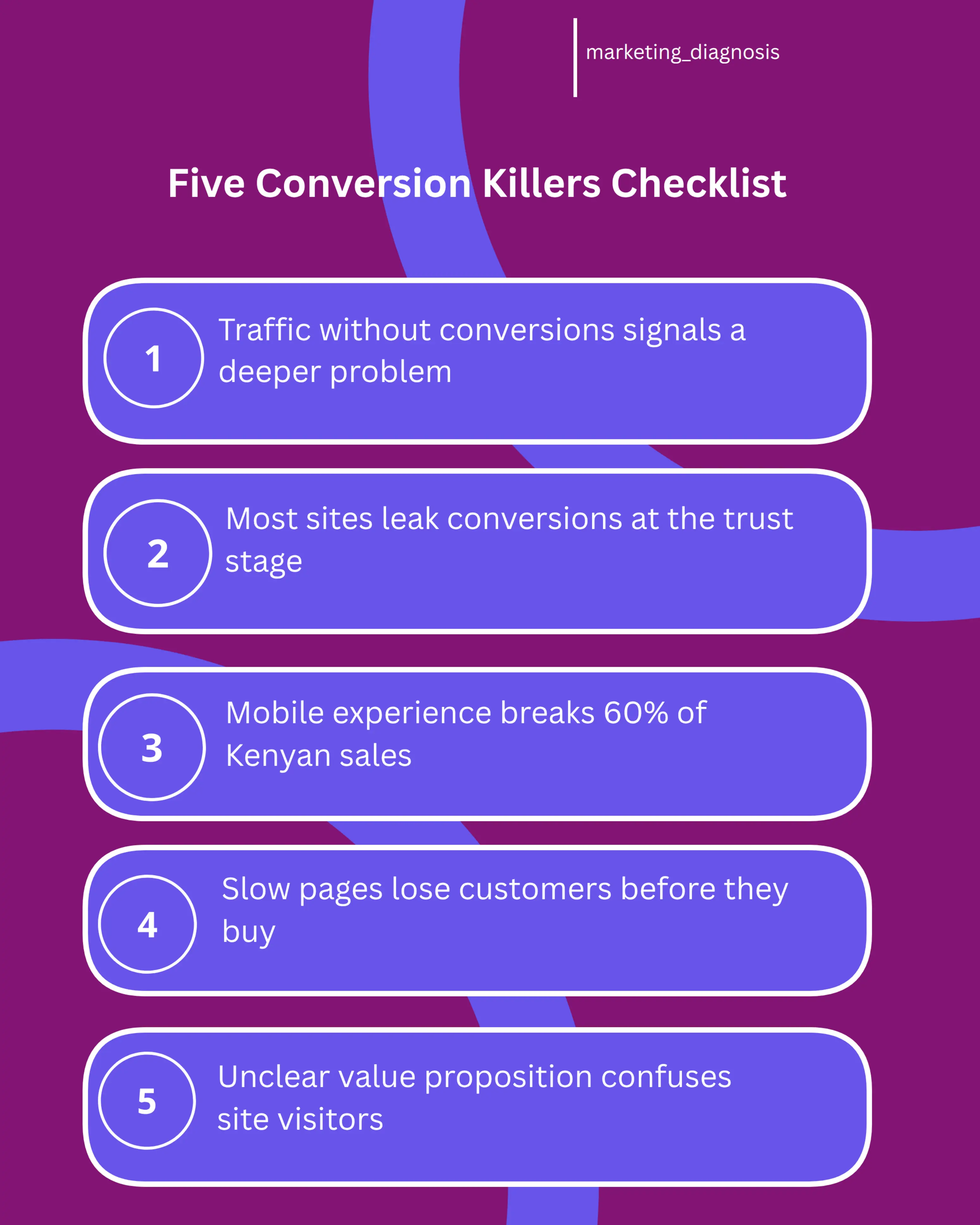
- ☐ Conversion problems are never random. They follow predictable patterns in trust, speed, clarity, mobile experience, and checkout friction.
- ☐ You need tracking first. Without Google Analytics 4 and goal setup, you’re diagnosing blind.
- ☐ The 80/20 rule applies: find where 80% of your visitors drop off and fix that first.
- ☐ Mobile experience is critical in Kenya. Over 60% of your traffic probably comes from phones, and most sites aren’t optimized for it.
- ☐ Testing beats guessing. Change one thing at a time, measure the result, then move to the next problem.
What You Need Before You Start
Before you can diagnose a conversion problem, you need to see what’s actually happening on your website. Most Kenyan business owners skip this step and just guess.
Don’t be that person.
Set Up Google Analytics 4
Google Analytics 4 is free. It’s the foundation of every diagnosis.
If you don’t have it installed, stop reading and install it now. If you have the old version (Universal Analytics), upgrade immediately. Google shut it down in July 2023.
GA4 shows you how many people visit, where they come from, what pages they look at, and how long they stay. More importantly, it tells you where they leave.
Define Your Conversion Goal
What does success look like on your website? A purchase, a form submission, a phone call, or a WhatsApp message all count.
You must tell Google Analytics what you’re tracking. If you sell physical products in a Nairobi shop, your conversion is a completed order.
If you’re a consultant in Mombasa, your conversion might be a completed contact form or a scheduled call. This is also where service page copy that sells without being salesy makes the difference between a click and an actual lead.
Go into Google Analytics, find the Conversions section, and create a goal for each action that matters to your business. Without this, you’re measuring nothing.
Install Heatmap and Session Recording Tools
Google Analytics tells you what happened. Heatmaps and session recordings show you how it happened.
Tools like Hotjar have a free tier. They record how visitors interact with your pages.
They show you where people click, how far they scroll, and where they get stuck. This is invaluable for diagnosis.
Set up Hotjar on your top three pages: your homepage, your main product or service page, and your checkout or contact form. Record at least 100 sessions before you start analyzing.
Step 1: Identify Where Your Visitors Are Dropping Off
The first diagnosis step is finding your biggest leak. Every website loses visitors at certain points in the journey.
Maybe 1,000 people land on your homepage, but only 200 click through to your product page. That’s an 80% drop and your first problem.
Or maybe 200 people reach your checkout page, but only 20 complete the purchase. That’s a 90% drop at checkout.
Different problem, same method. Find the leak.
Run a Funnel Report in Google Analytics
A funnel is the path a customer takes from landing on your site to converting. In GA4, go to Reports, then Conversion, then Funnel Exploration.
Create a funnel with these steps: Landing Page → Product Page → Add to Cart → Checkout → Purchase (or whatever your steps are). GA4 will show you the percentage of people who complete each step.
If you see a massive drop between two steps, that’s where your problem is. Write it down.
Look for the 80% Drop
Based on AM Digital KE client data across Kenyan accounts, most websites have one step where they lose about 80% of visitors. Find yours.
For example, a Nairobi e-commerce store might lose 80% of visitors between the product page and the checkout page. A Mombasa service provider might lose 80% between the homepage and the contact form.
Once you know where the biggest leak is, focus there first. Don’t try to fix everything at once.
Step 2: Audit Trust Signals on Your Website
Lack of trust kills more Kenyan websites than bad design ever will. Visitors land on your site and think: “Is this real? Can I trust these people? Will they actually deliver?”
If your answer to any of these questions isn’t crystal clear on your website, you lose the sale.
Check for Social Proof
Social proof is evidence that other people have bought from you and been happy. It comes in many forms: customer testimonials, star ratings, case studies, or “as seen in” logos.
Look at your homepage and product pages. Do you have any customer testimonials with real names and faces, not generic quotes?
If not, that’s a conversion killer. Websites with customer testimonials convert 20-40% higher than those without.
Go collect five real testimonials from happy customers this week. Ask them to include their name, business, and a photo.
Check Your “About Us” Page
Who are you? Why should someone trust you?
This is not about your company history. It’s about your credibility and your commitment to solving the customer’s problem.
A good About page for a Kenyan business answers four questions. Who are you? What problem do you solve? Why are you qualified to solve it? How many customers have you helped?
If your About page is vague or full of corporate jargon, rewrite it. Make it personal and tell a story.
A Nairobi digital marketing agency owner should say “I’ve helped 150+ Kenyan businesses double their leads” not “We are a full-service digital marketing solutions provider.” Strong website copywriting kenya makes this shift easy.
Display Trust Badges and Certifications
Do you have any certifications, awards, or memberships? Are you registered with the Kenya Revenue Authority?
Do you have a physical office address?
Put these on your website. If you’re a registered business, say so.
If you’ve won awards, show them. If you’re a Google Premier Partner or a Safaricom certified partner, display that badge.
Visitors want to know you’re legitimate. Make it obvious.
Step 3: Test Your Page Speed on Mobile
Most of your Kenyan traffic comes from phones running on 4G or 3G networks. If your website takes more than 3 seconds to load on a phone, you’re losing customers.
This is not an opinion. Every additional second of page load time reduces conversion rates by 7%.
On a slow Kenyan network, that’s catastrophic. Good mobile first copywriting writing for kenyas phone users only helps if the page loads fast enough for people to read it.
Run a Speed Test
Go to Google PageSpeed Insights (just search for it). Enter your website URL.
Google will test your site on both desktop and mobile. Look at the mobile score.
If it’s below 80, you have a speed problem. If it’s below 50, you have a critical problem.
Google will tell you exactly what’s slowing your site down. Usually it’s one of three things: large images, unoptimized code, or a slow server.
Optimize Your Images
High-resolution images are beautiful but they destroy page speed. If photos on your site are larger than 500KB, they’re too big.
Use an image compression tool (TinyPNG is free) to reduce file size without losing quality. A good rule: compress every image to under 100KB before uploading.
Also, use WebP format instead of JPG. WebP files are 25-35% smaller and load faster on phones.
Reduce Server Response Time
If your hosting is slow, no amount of image optimization will help. Most Kenyan businesses use cheap shared hosting that serves pages slowly, especially during peak hours.
If your PageSpeed report says “Server response time is high,” it’s time to upgrade your hosting. Look for a host that offers SSD storage and is located in East Africa, not Europe or America.
Speed and trust fix half the problem. The other half is whether your traffic strategy matches your business goals, which is why comparing seo services in kenya vs social media ads in kenya matters before you spend more on ads.
Step 4: Clarify Your Value Proposition
Your value proposition answers one question. Why should I buy from you instead of someone else?
Most websites don’t answer this clearly. Visitors land on the homepage, see vague marketing language, and leave confused. Think about why your website should be a conference not an expensive brochure instead of a static ad.
Write a Clear Headline
Your homepage headline should tell a visitor in 10 seconds what you do. It should also tell them why they should care.
Skip “Welcome to our website.” Skip “Digital Solutions for the Modern Business.”
Instead try this: “We help Nairobi restaurants fill their tables 40% faster using Google Ads.” Or this: “Your logistics business gets real-time tracking for every shipment, no setup fees.”
Specific, benefit-driven, clear. That’s a good headline.
Show Your Unique Angle
What makes you different? Maybe you’re the only Mombasa service provider who offers same-day delivery.
Maybe you’re the only Kisumu consultant who specializes in your industry. Maybe your price is 30% lower.
Find your angle and put it on your homepage. Don’t assume visitors know it, tell them directly.
Use Benefit-Driven Language
Don’t describe your product. Describe what it does for the customer.
Bad: “Our software includes inventory management, reporting, and user authentication.” Good: “Your inventory syncs across all your shops in real-time.”
One is features. One is benefits. Benefits convert, and a good example is loan calculator pages converting searches into leads instead of just listing loan features.
Step 5: Analyze Your Checkout or Contact Form
If your biggest leak is at checkout or contact form submission, this is your diagnosis step.
Most websites lose conversions here. They ask too many questions or make the process too complicated.
Count Your Form Fields
How many fields are on your contact form or checkout form? If it’s more than five, you’re asking too much.
Every additional field reduces completion rate by 5-10%. A 10-field form converts 50% worse than a 3-field form.
Look at your form. Which fields are absolutely necessary?
Delete the nice-to-have ones. You can ask for more information after they convert.
Test Single-Step vs Multi-Step Checkout
If you’re an e-commerce site, do you have a single-page checkout or a multi-step process?
Multi-step checkout feels faster and less overwhelming. Single-page checkout is simpler but can feel like too much at once.
Based on AM Digital KE client data across Kenyan accounts, multi-step checkout typically converts 15-25% better for high-value products. For low-value products, single-step usually wins.
If you’re not sure which you have, check your checkout now. If it’s all on one page, test a multi-step version.
Check Your Error Messages
When someone fills out your form wrong, what happens? Do they get a clear message telling them what to fix?
If your error messages are vague or hard to find, visitors give up. Make errors obvious and easy to fix.
Step 6: Check Mobile Experience
Mobile deserves its own step. It’s where most Kenyan conversions happen, or don’t happen.
Open your website on a phone right now. Scroll through it.
Try to find your main call-to-action button. Try to fill out your contact form.
If it’s hard, your visitors are frustrated too.
Test Button Size and Placement
On mobile, your main call-to-action button should be at least 48 pixels tall. It should be easy to tap without hitting the wrong button.
It should also be visible without scrolling. If someone has to scroll down to find your main button, most won’t bother.
Put your most important button above the fold on mobile. Test different placements and measure which converts better.
Make Forms Mobile-Friendly
On mobile, forms are painful. Small screens, autocorrect errors, and keyboard switching make every field a friction point.
Use mobile-optimized input types. Number fields for phone numbers, email fields for emails, date pickers for dates.
Also use single-column layouts on mobile. Two-column forms look nice on desktop but are impossible to use on a phone.
Test on Real Devices
Don’t just check your own phone. Test on different phones: an iPhone, a Samsung, an older budget phone.
Test on different networks too: WiFi, 4G, 3G. Your Safaricom connection might be strong, but your customer’s might not be.
Make sure your site works for everyone, on every network. Tools like am digital ke just added an ai seo assistant can help you spot mobile issues faster.
Common Mistakes to Avoid
Diagnosing conversion problems takes discipline. Avoid these traps because they waste time and delay your fixes.
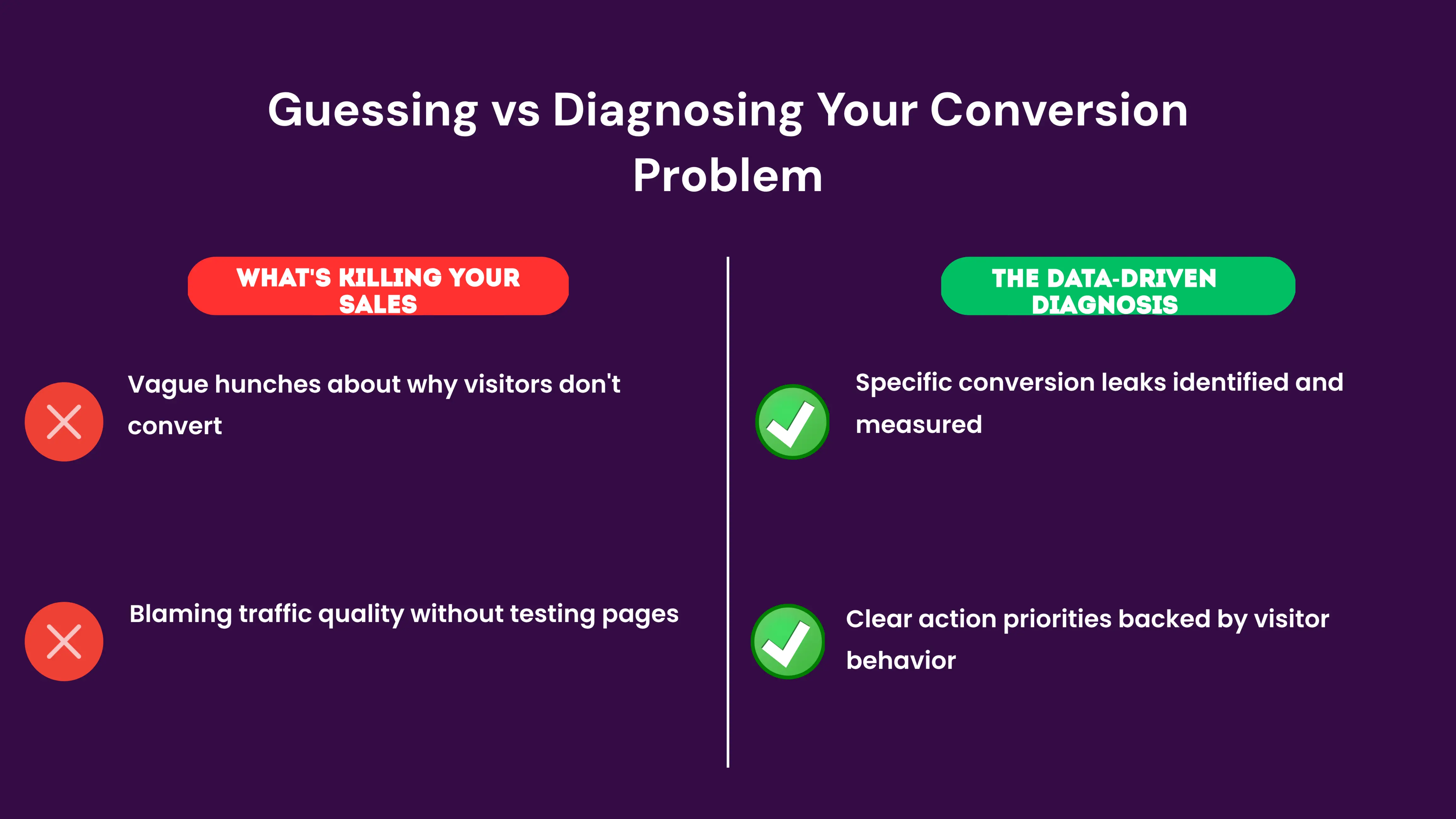
Mistake 1: Blaming Traffic Quality Before Testing Your Pages
Most business owners blame their traffic source first. “Google Ads brings bad traffic.” “My Facebook audience isn’t qualified.”
Usually, the traffic is fine. The website is the problem.
Test your website thoroughly before you change your traffic source.
How to avoid it: Run a conversion rate test. Take 100 visitors from your traffic source and track how many convert.
If the rate is below 1%, it might be traffic. If it’s between 1-3%, it’s almost always your website. Also rule out technical issues. If your site got hit by what is a google penalty, your traffic numbers will drop regardless of page quality.
Mistake 2: Making Changes Without Measuring
You change your headline. You redesign your form. You optimize your images.
But do you measure if it worked? Most Kenyan business owners don’t.
They make changes and hope for the best. Then they make more changes and have no idea which one actually helped.
How to avoid it: Set a baseline conversion rate before you make any changes. Then change one thing at a time and measure the result.
Use Google Analytics or a tool like Unbounce to A/B test changes. Read our guide on tracking what matters essential metrics for kenyan websites to know which numbers to watch.
Mistake 3: Ignoring Mobile Completely
You test your website on your desktop computer. It looks great.
But 60-70% of your visitors use phones. If you haven’t tested on mobile, you’re missing the majority of your users.
And if they’re having a bad experience, you’re losing most of your conversions.
How to avoid it: Make mobile your first priority, not an afterthought. Design for mobile first and test on mobile first.
Measure mobile conversion rate separately from desktop.
Mistake 4: Too Many Changes at Once
You redesign your entire website. You change your headline, images, form, and checkout process, all at once.
Then your conversion rate changes. But you don’t know which change caused it.
Was it the headline? The form? The images? You can’t tell, so you can’t replicate success.
How to avoid it: Change one thing at a time. Wait at least one week and 100 visitors before measuring the impact.
Only then move to the next change.
Mistake 5: Not Collecting Enough Data
You change your headline and measure conversion rate after 10 visitors. That’s not enough data to know if it worked.
With small sample sizes, random variation looks like a real trend. You need at least 100-200 visitors per variation to know if a change actually helped.
How to avoid it: Set a minimum sample size before you test. Commit to collecting data from at least 100 visitors per version.
Use a tool like Optimizely or Google Optimize to run proper A/B tests.
Conversion Diagnostic Table: Quick Reference
| Problem Area | Warning Signs | Quick Diagnosis Test | First Fix to Try |
|---|---|---|---|
| Low Trust | High bounce rate on homepage. Visitors don’t click through to product pages. | Check for customer testimonials, certifications, and About page on your site. | Add 3-5 customer testimonials with real names and photos to your homepage. |
| Slow Speed | Low conversion rate on mobile. High bounce rate overall. | Run Google PageSpeed Insights on mobile. Score below 80 = problem. | Compress all images to under 100KB. Upgrade hosting if server response time is high. |
| Unclear Value | Visitors land but don’t click to learn more. High homepage bounce rate. | Show your homepage headline to 5 people. Can they tell you what you do in 10 seconds? | Rewrite your headline to be specific and benefit-driven. Show what you do, not what you are. |
| Poor Mobile UX | Desktop conversion rate is good but mobile is terrible. Mobile bounce rate is high. | Open your site on a phone. Try to find and click your main button. Try to fill a form. | Increase button size to 48px. Move main CTA above the fold. Use single-column form layout. |
| Checkout Friction | Visitors add items to cart but don’t complete purchase. High cart abandonment. | Count fields in your checkout form. More than 5 = problem. | Remove non-essential form fields. Test multi-step checkout if you have single-step. |
✅ Quick Action Checklist
- ☐ Install Google Analytics 4 and set up conversion goals for your main business objective.
- ☐ Set up Hotjar or another session recording tool on your top 3 pages.
- ☐ Run a funnel report in Google Analytics to find where 80% of visitors drop off.
- ☐ Collect 5 customer testimonials with names and photos and add them to your homepage.
- ☐ Run Google PageSpeed Insights on mobile and fix any issues with score below 80.
- ☐ Rewrite your homepage headline to be specific and benefit-driven (not vague or corporate).
- ☐ Open your website on a phone, scroll through it, and identify 3 things that are hard to use.
- ☐ Count the fields in your contact form or checkout form. Remove any that aren’t absolutely necessary.
Ready to Improve Your Website Conversions?
Conversion problems are solvable. You don’t need to guess or redesign everything.
Start with diagnosis. Find your biggest leak, fix it, then measure the result.
This systematic approach works for e-commerce stores in Nairobi. It works for service providers in Mombasa and consultants in Kisumu.
Start today with the Quick Action Checklist above. Pick one item and do it this week, then move to the next.
In 30 days, you’ll have diagnosed your conversion problem and started fixing it. For more marketing secrets hidden in plain sight, keep digging into your data.
Frequently Asked Questions
How long does it take to diagnose a conversion problem?
The initial diagnosis takes 2-4 hours if you already have Google Analytics set up. If you need to set up tracking from scratch, add another 2-3 hours.
The key is collecting enough data. Wait for at least 100 visitors to each page before you draw conclusions.
What’s a good conversion rate for a website?
This depends on your industry. E-commerce sites typically convert at 1-3%, service provider websites at 2-5%, and lead generation sites at 5-10%.
The important thing isn’t what’s “good”. It’s whether your rate is improving over time.
Should I hire someone to diagnose my conversion problems?
If you have time and are comfortable with basic analytics, you can do this yourself using the steps above. If you’re not sure how to set up tracking or interpret data, hiring a specialist is worth the cost.
A good conversion rate optimization consultant can identify problems in 1-2 days. That might take you weeks to find on your own.
Can I improve conversions without redesigning my website?
Yes. Most conversion improvements come from small changes such as better headlines, clearer forms, faster images, and more trust signals.
You don’t need a full redesign. Redesigns often make things worse because you change too many things at once and can’t measure what worked.
What’s the most common conversion killer you see?
Lack of trust. Visitors land on a site with no testimonials, no clear About page, and no proof that the business is real, so they leave immediately.
Adding social proof is usually the fastest way to improve conversions.
Additional Resources
- The Three Sales Moments Your Social Media Ads Can’t Capture – Kenyan SEO Expert Explains – If your site gets traffic from ads but still no sales, this explains the buying moments those ads miss.
- Why Isnt My Marketing Working Quiz – Not sure if the problem is your website or your wider marketing? Take this quiz to narrow it down.
- Free SEO Analysis Audit – Get a free audit to see the exact issues holding your site back before you spend money fixing the wrong thing.
- 5 SEO Mistakes I’Ve Seen In Almost Every Kenyan Business (And How To Fix Them) – Low conversions often start with SEO basics done wrong. See if your site is making these common mistakes.
- Why Isn’T My Marketing Working? A Kenyan Business Owner’S Honest Diagnosis – A broader look at why leads dry up in Kenya, useful if your site is just one piece of a bigger marketing problem.
- How to Recover from a Google Penalty – If your traffic dropped suddenly alongside conversions, a Google penalty could be the real culprit here.
Take the Next Step
You now have the framework to diagnose your conversion problems. The next step is putting it into action with proper tracking and testing.
We’ve created a detailed checklist that walks you through setting up Google Analytics 4, defining your conversion goals, and running your first funnel analysis. Pair this with social media content that drives website traffic in Kenya so your traffic quality improves too.
Download the Conversion Diagnosis Checklist for Kenyan Businesses and get started today.