Table of Contents
In short: Your SEO is working when, over months, more people see your site in Google for searches that matter, more click, and more call, WhatsApp or enquire. You can check all three in free Google tools.
Key takeaways
- Make sure Search Console and Google Analytics are in your business's name, with you as owner.
- Compare three months against the three before, never one week against the next.
- Count calls and WhatsApp messages from Google, not only form fills.
- Traffic, single rankings and followers can rise while customers don't, so ask for enquiry numbers.
- Some movement can show early, but proper results start from around month 3.
You pay for SEO every month, and what you need to know is whether Google is sending you customers. Three numbers answer that, and you can check all three yourself for free.
The first is impressions, which is how often your site shows up in Google’s results.
The second is clicks. The third is enquiries: the calls, WhatsApp messages and form fills from people who found you on Google.
When impressions, clicks and enquiries rise over months, not days, your SEO is working. Everything else in a report can wait until you’ve looked at these three.
Many of the owners I speak to think SEO means posting on social media, so they watch likes and followers. It’s an easy mix-up, because social posts are the marketing you see every day.
But SEO is about showing up when someone types “plumber in Westlands” into Google. Likes on Instagram tell you nothing about that.
SEO is a long-term strategy that takes about three months to show proper results.
The upside is that people then come to you already looking for what you sell. By the end of this page, you’ll be able to decide whether to wait, push back or ask for changes.
Step 1: Make sure you own your Google accounts
Before you check anything, make sure you can see your own data. Google Search Console shows how your site does in search, and Google Analytics shows what visitors do once they arrive.
Both accounts should be in your business’s name, with you as owner. If only your provider has access, you’re reading their summary of your data, and if you ever change provider you could lose the history.
How to check you’re the owner
Log in to Search Console with your business Google account, open Settings, then Users and permissions. Your email should be listed as Owner.
In Google Analytics, go to Admin, then Account access management, and check you’re an Administrator. If you can’t find either account, ask whoever does your SEO to add you this week.
What goes wrong most often is an account opened years ago on a developer’s personal email. Moving it can take a few emails, so start now.
Do you need to pay for a tool to check this?
No. Search Console, Google Analytics and your Google Business Profile are free, and together they show nearly everything you need.
Your Business Profile matters more than most owners expect. Its Performance section counts clicks on your call button and requests for directions, not completed calls or visits.
Paid tools help an SEO provider research and track many sites at once. For an owner checking whether the work brings customers, the free ones are enough.
The checks that show SEO is working
Set aside about an hour. For each check, compare the last three months with the three months before, and mark it moving, flat or unknown.
Say you run a plumbing business in Nairobi and your SEO started some months ago. Here’s the list to work through:
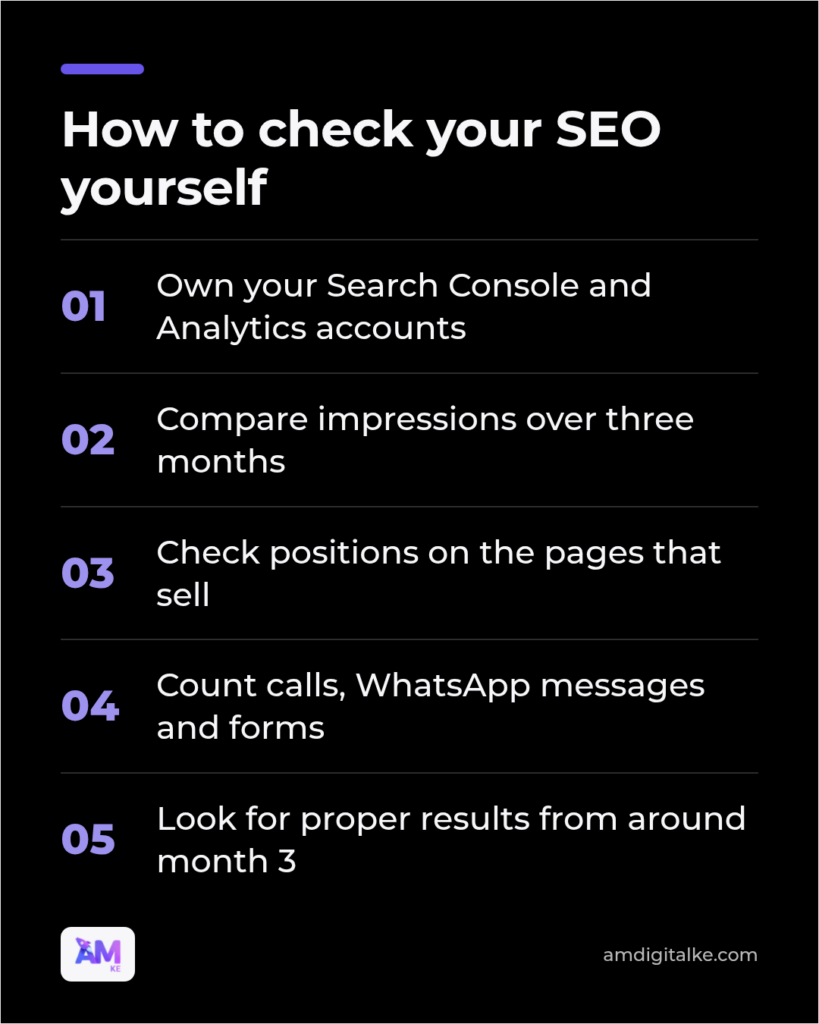
- Compare total impressions in Search Console, Performance.
- Count the different searches in the Queries tab.
- Check average position for your three or four most important pages.
- Confirm your key pages are indexed.
- Count calls, WhatsApp messages and forms that came from Google.
- Mark each line moving, flat or unknown.
Step 2: Check if impressions are rising
In Search Console, open Performance, click Date, choose Compare, and pick the last three months against the previous period. Tick Total impressions.
Say your plumbing site had 1,800 impressions in the earlier three months and 3,000 in the last three. That’s moving: Google is showing you to more people.
Avoid comparing one week with the next. Search changes with paydays, holidays and school terms, so short windows jump around for no reason.
Step 3: See if you show up for more searches
Stay in Performance and open the Queries tab. These are the words people typed before your site appeared.
Growth here looks like new searches you weren’t on before, such as “blocked drain Kilimani” or “water tank installation Nairobi”. Count roughly how many queries you have now against three months ago.
Watch for searches that bring views but no buyers, like people looking for repair tips. They count as impressions, but they’re rarely your customers.
Step 4: Check average position on the pages that matter
Open the Pages tab and click your main service page. Then switch to Queries to see the searches that page appears for.
Average position is where you sit in the results, with 1 at the top. A move from 25 to 12 on a page that sells your service is real progress, even before clicks follow.
Check clicks the same way. If your plumbing site went from 60 clicks to 90 while impressions rose, your organic click-through rate, the percentage of impressions that become clicks, held at around 3%, so the new views are bringing real visits.
The common mistake is reading the site-wide average position. It can drop when you start showing for many new searches far down the list, which is good news that looks bad.
Step 5: Check your important pages are indexed
Indexed means Google has stored the page and can show it. In Search Console, open Indexing, then Pages, to see which pages are indexed and which aren’t.
Paste the address of each key page into the search bar at the top. You want to see “URL is on Google”.
Many owners worry about a long “not indexed” list. Some of it is normal, such as old addresses that now redirect; what matters is that your service pages are on Google.
Step 6: Count enquiries, including calls and WhatsApp
This is the check most guides skip, and it’s the one that pays your bills. Many Kenyan customers call or send a WhatsApp message instead of filling in a form, and Analytics won’t count those on its own.
Ask your provider to track clicks on your phone number and WhatsApp button as key events in Google Analytics. You’ll then see how many came from organic search.
Add the calls shown in your Business Profile’s Performance section. Then ask every new customer “How did you find us?” and keep a tally in a notebook or spreadsheet.
What goes wrong most often is counting forms only. If most of your customers WhatsApp you, a flat form count can hide a business that’s growing.
Numbers that look good but prove nothing
Why is my traffic up but I have no more customers?
Usually the visits come from the wrong searches, or the page people land on doesn’t make contacting you easy. Say your plumbing site gets hundreds of visits a month to an article on fixing a leaking tap.
Those readers want to do it themselves, so traffic rises and the phone stays quiet. Check which pages get the clicks, and if most are how-to articles, ask for work on your service pages, with your number and WhatsApp button easy to see.
Single rankings, followers and guarantees
A report that celebrates first place for one phrase needs a second look. Ask how many people search it and whether they’re buyers.
Be careful with any promise of guaranteed rankings. Nobody controls Google’s results, so ask which phrase is guaranteed and whether potential customers actually search it.
A plain test for a flattering report
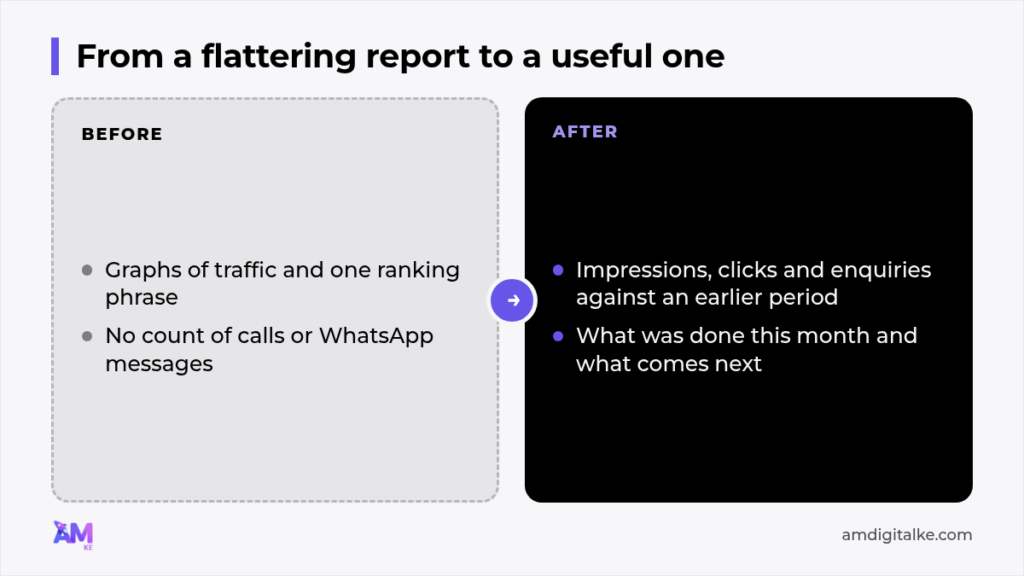
A useful report answers three things:
- Did impressions, clicks and enquiries rise against a fair earlier period?
- What work was done, and on which pages?
- What’s planned for next month, and why?
Check impressions and clicks in Search Console, then enquiries against your own records. Our page on SEO reporting shows what a clear report includes, and what to track in a monthly SEO report covers each number.
How long before SEO shows results
Some movement can show early, but proper results start from around month 3. Knowing what each stage looks like tells you whether flat is normal or a problem.
The first weeks
Early on, you may see new pages indexed and impressions starting to rise. Clicks and enquiries often haven’t moved yet, and that’s normal.
Key pages still missing from Google after the work starts is different. That’s a technical problem you can raise straight away.
From around month 3
This is when you look for clicks rising, better positions on pages that sell, and enquiries starting to follow. If impressions are still flat, ask questions.
If impressions rise but clicks don’t, the titles and descriptions people see in Google may need work. If clicks rise but enquiries don’t, your pages need to make contact easier.
The wait can pay off.
People who find you on Google were already searching for what you sell, so these inbound enquiries often turn into sales more readily, and the pages keep working month after month. There’s more on each stage in how long SEO takes in Kenya.
What to do if the numbers are flat
Questions to ask whoever does your SEO
Put these to your provider, and to me if we ever work together. A good provider is glad to be judged on evidence.
- Which searches are we working on, and do buyers type them?
- Can I see these numbers in my own Search Console?
- What did you change this month, and on which pages?
- Which of those pages gained impressions or clicks?
- How many calls, WhatsApp messages and forms came from Google?
- If this stays flat next month, what will you change?
Clear, specific answers are a good sign. Answers that point back to traffic alone tell you to push for more.
When to ask for changes
Ask for changes when a check stays flat past the stage where it should move, such as impressions still flat around month 3. Bring the numbers and ask for a written plan.
Weigh the fee against what a new customer is worth to you. Our guide to how much SEO costs in Kenya helps you judge what you’re paying for.
Where Managed SEO fits
Our one plan, Managed SEO, starts from KES 80,000 a month. It includes a plain-language report every month and a monthly call with you, so you can run these checks and put these questions to me directly.
Each month we fix problems on your current pages, such as broken links, redirects and missing titles, and improve four of your existing pages. We add links between your own pages every week, and nothing goes live until you approve it.
Frequently asked questions
Is SEO dead now with AI?
People still search Google every day for plumbers, schools and suppliers. AI answers draw on pages that are clear and trusted, which is what good SEO builds.
When Google shows an AI answer at the top, some people get what they need without clicking. That’s why you watch impressions and enquiries alongside clicks.
Is SEO worth it for a Kenyan business?
Many Kenyan businesses use it less because they think SEO is social posting. That leaves room for those who show up when customers search.
The people who find you were already looking, so they often buy more readily. Read whether SEO is worth it for a small business in Kenya to weigh it for yours.
Can SEO bring in sales and leads?
Yes, it can, by putting you in front of people searching for what you sell. It doesn’t guarantee sales, because your pages still have to turn visits into calls and messages.
That’s why Step 6 matters most. Counting enquiries tells you whether search is bringing you customers.
Your next step
Today, log in to Search Console and run the six checks. Mark each one moving, flat or unknown, and take that list to whoever does your SEO.
To see where your site stands first, get a free SEO analysis of your site and city. It’s instant, needs no call, and you can book one afterwards if you’d like to talk it through.
Additional resources
- Pricing & Packages: See exactly what SEO costs in Kenya.
- Real Time Analytics: Real-time SEO analytics for Kenyan businesses: live rankings, traffic alerts, technical issue detection, and an SEO Brain that explains the numbers.
- How to Do a Content Audit for Your Kenyan Business: A step-by-step guide to auditing your website content, finding what works, and fixing what doesn’t to boost SEO and revenue.
- What is Conversion Rate Optimization: Conversion Rate Optimization is the science of turning website visitors into paying customers.
- 3 Best Lead Magnets That Convert Traffic To Clients (And How To Use Them In Kenya): Most lead magnets fail because they chase volume, not quality.
- How Much Should You Spend On Marketing In Kenya? A Budget Guide For Every Business Size: A practical guide to marketing budget allocation for Kenyan businesses, with real examples and a calculator to test your numbers.