Table of Contents
- What Happens When Google Penalizes Your Site
- 📋 Key Takeaways
- What You Need Before You Start
- Step 1: Identify Whether You Have a Manual Penalty or an Algorithm Penalty
- Step 2: Conduct a Complete Site Audit for Violations
- Step 3: Fix the Root Cause, Not Just Symptoms
- Step 4: Document Everything You Fixed
- Step 5: Submit a Reconsideration Request (Manual Penalties Only)
- Step 6: Monitor and Wait for Recovery
- 🚫 Common Mistakes to Avoid
- ✅ Quick Action Checklist
- Ready to Recover from Your Google Penalty?
- Frequently Asked Questions
- Additional Resources
- Take the Next Step
TL;DR: Google penalties kill your search visibility overnight. You need to identify if it’s a manual penalty or algorithm update, audit your entire site for violations, fix the root cause (not just symptoms), submit a reconsideration request if manual, and monitor weekly. Most Kenyan businesses recover in 4 to 8 weeks by following this exact process.
What Happens When Google Penalizes Your Site
Your business was getting customers from Google search. Then one day, your traffic drops overnight.
You check your rankings and they have vanished. Pages that ranked on page one are now on page five or gone completely.
This is a Google penalty. It happens when Google detects that your site violates its rules.
It can also happen when an algorithm update catches you using outdated tactics.
In Kenya, we see this happen to small businesses constantly. A Nairobi marketing agency stuffs keywords into a client’s website.
Or a business owner buys backlinks from a cheap overseas service. Suddenly Google stops showing their site to customers.
A Nairobi salon owner we spoke with hired a cheap link building service last year. Her bookings dropped fast when the penalty hit.
The good news is that recovery is possible. It is not permanent, and it does not require you to rebuild your entire website.
But you need to follow the right process. Most business owners panic and make things worse by guessing.
📋 Key Takeaways
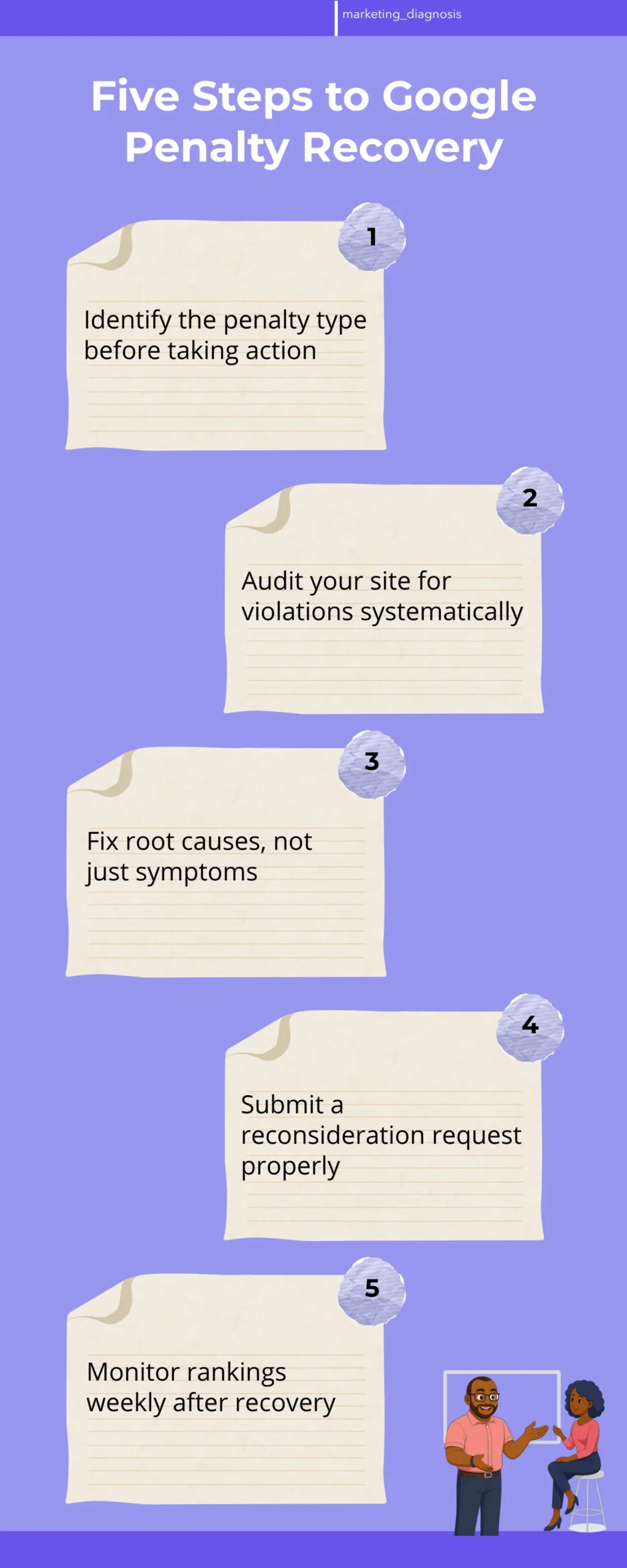
- Google penalties are either manual (issued by a human reviewer) or algorithmic (triggered by an update). You must identify which one first.
- Your site is penalized because of a specific violation: keyword stuffing, spammy backlinks, thin content, cloaking, or poor user experience.
- Recovery requires auditing your entire site, fixing the root cause, and documenting everything before submitting a reconsideration request.
- Manual penalties take 4 to 8 weeks to recover from after you fix the issues and submit. Algorithm penalties can take 2 to 6 months.
- Most Kenyan businesses recover faster by hiring an SEO professional to audit and fix issues rather than attempting it alone without proper tools.
What You Need Before You Start
Before you take any action, you need three things in place. Without them, you will waste time and possibly make your penalty worse.
Access to Google Search Console
Google Search Console is where Google tells you directly if your site has been manually penalized. This is your primary source of truth.
Log in to your Google Search Console account for your website. If you do not have one set up, do that immediately.
Go to the Security and Manual Actions section. If there is a manual penalty, Google will show you exactly what the violation is.
If you see a message like “Unnatural links to your site” or “Thin content with little or no added value,” then you have a manual penalty. This is actually good news because Google is telling you exactly what is wrong.
A Baseline of Your Site’s Current State
You need to know what your site looks like right now, before you start fixing anything. This is your audit baseline.
Write down your current traffic numbers, your top 20 ranking keywords, and which pages are losing the most traffic. A simple spreadsheet works fine.
Take screenshots of your top pages. Note which external websites are linking to you.
This baseline helps you measure recovery progress later. It also helps you identify patterns in what went wrong.
Access to Your Website Backend
You need to be able to edit your website, add code, remove pages, and change settings. If you do not have this access, get it from your web host or developer now.
If you are using a WordPress site (most Kenyan SMEs are), make sure you can log in to the admin panel and access plugins.
If you are on Wix, Shopify, or another platform, make sure you have owner-level access, not just editor access.
Step 1: Identify Whether You Have a Manual Penalty or an Algorithm Penalty
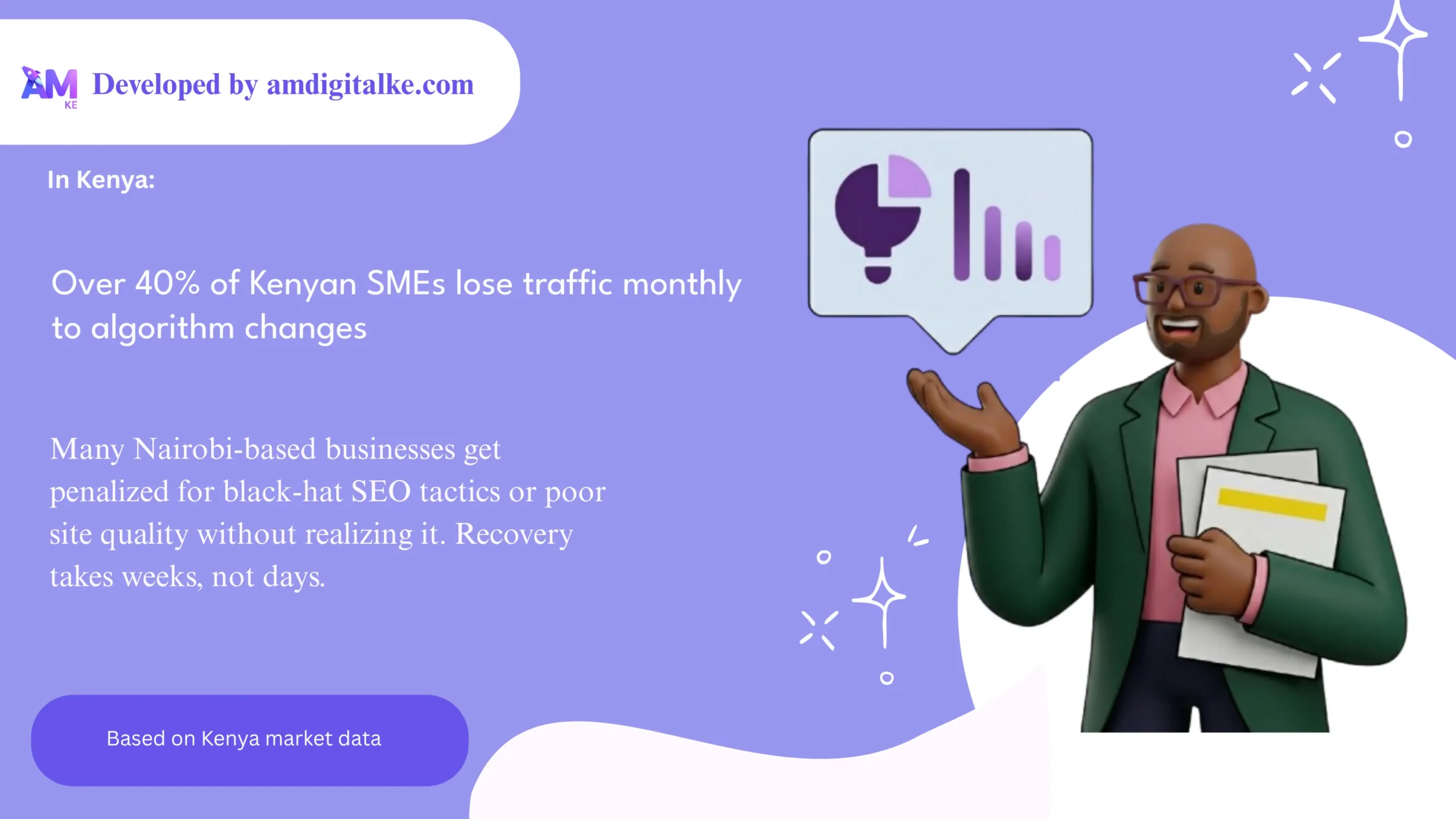
This is the most critical first step. The type of penalty determines your entire recovery strategy.
How to Check for a Manual Penalty
Open Google Search Console and navigate to Security and Manual Actions. Look for any messages from Google.
A manual penalty appears as a notification with a specific reason. Common ones include “Unnatural links,” “Thin content,” “User-generated spam,” or “Cloaking and/or sneaky redirects.”
If you see a message, you have a manual penalty. Google is telling you exactly what the problem is.
Write down the exact message. You will need this to know what to fix.
How to Identify an Algorithm Penalty
If Search Console shows no manual actions, but your traffic still dropped significantly, you likely have an algorithm penalty. This means a Google algorithm update caught your site using outdated or low-quality tactics.
Check when your traffic dropped. Then search “Google algorithm update” plus that date online.
You will usually find news articles about what Google changed. Common recent updates target sites with poor user experience, low-quality content, or excessive ads.
If your traffic dropped right after a Google update announcement, that is your culprit.
Algorithm penalties are trickier because Google does not tell you what is wrong. You have to figure it out by analyzing your site against Google’s quality guidelines.
Step 2: Conduct a Complete Site Audit for Violations
Now that you know what type of penalty you have, you need to find the specific violations causing it. This is detective work.
Audit Your Backlink Profile
If your penalty message mentions “unnatural links,” your backlinks are the problem. You need to identify which ones are toxic.
Download your backlink list from Google Search Console. Go to Links and export the full list of sites linking to you.
Look for red flags: links from completely unrelated websites, links from sites with spammy content, links from countries where you do not do business, or links that appeared suddenly in large batches.
For example, if you run a plumbing business in Nairobi and suddenly have 50 links from gambling websites in Russia, those are toxic. They were likely bought or built through a cheap link scheme.
Make a list of the worst offenders. You will contact those sites later and ask them to remove the links.
Audit Your Content for Quality Issues
If your penalty mentions “thin content,” or if you have an algorithm penalty, your content is the problem. Google wants pages that genuinely help people.
Go through your top 50 pages. For each page, ask: Does this page provide real value to someone searching for this topic?
Look for pages with fewer than 300 words. Look for pages that are mostly ads or navigation with very little actual content.
Look for keyword stuffing: pages where the same word is repeated awkwardly throughout the text. For example, a page saying “Best plumber in Nairobi, plumber Nairobi, Nairobi plumber services, plumber in Nairobi, best plumbing Nairobi” is keyword stuffed and needs rewriting.
Make a spreadsheet with three columns: Page Title, Current Word Count, and Quality Issue. This becomes your fix list.
Audit Your Technical SEO
Technical issues can trigger penalties. Check these specific things right now.
First, check if your site has any cloaking or redirects. Cloaking means showing Google one version of your page and visitors another version.
This is a direct violation.
Use a tool to fetch your pages as Google sees them versus how a regular visitor sees them. If they are different, you have cloaking and it must be removed immediately.
Second, check your site speed. Google penalizes sites that load slowly, especially on mobile phones.
Test your site on Google PageSpeed Insights. A weak mobile page speed score is a problem that needs fixing.
Third, check for mobile responsiveness. If your site does not work well on phones, Google will penalize it.
Open your site on a phone and scroll through several pages. Can you read the text? Can you tap buttons easily? Or is everything cramped and broken?
Step 3: Fix the Root Cause, Not Just Symptoms
This is where most business owners fail. They fix one thing and hope the penalty goes away.
But if they do not fix the root cause, Google will keep the penalty in place.
Remove or Disavow Toxic Backlinks
If you identified toxic backlinks, you have two options: remove them or disavow them.
First, try removal. Contact the website owners and ask them to remove the link to your site. Be polite and professional.
Many will ignore you. That is fine. Move on to the next one.
After you have contacted 20 to 30 sites, use Google’s Disavow Tool. This tells Google “I do not want you to count these links.” Upload a list of the worst toxic domains.
Do not disavow everything. Only disavow links that are clearly spam or from unrelated industries.
Rewrite Thin or Low-Quality Content
Every page on your fix list needs to be rewritten or expanded. Here is the standard:
Pages should be at least 500 words for competitive topics. Pages should answer the actual question someone is searching for, not just mention keywords.
If you have a page about “plumbing services in Nairobi,” it should explain what services you offer, why you are different from competitors, what you charge, and how to contact you. It should not just list keywords.
After rewriting, have someone who is not familiar with your business read the page. Can they understand what you do and why they should choose you?
Fix Technical Issues Immediately
If you found cloaking, remove it today. This is a critical violation.
If your site is slow, hire a developer to optimize images, enable caching, and reduce unnecessary code. This is not optional.
If your site is not mobile-friendly, hire someone to fix it. Google prioritizes mobile experience now.
Step 4: Document Everything You Fixed
Before you submit a reconsideration request to Google, you need documentation. This is your evidence that you fixed the problem.
Create a Detailed Audit Report
Write a document that explains: what the penalty was, what caused it, and exactly what you fixed.
Include before and after screenshots of pages you rewrote. Include a list of toxic backlinks you removed or disavowed.
Include dates. Include technical fixes you made.
This document is for you first, but you will eventually share parts of it with Google.
Test Your Site for Remaining Issues
Before submitting anything to Google, make sure your fixes actually worked.
Check that pages load fast on mobile. Check that no cloaking exists.
Check that your content reads naturally and is not keyword stuffed. Check that your backlink profile looks clean.
Use Google Search Console to run a mobile usability test. Make sure no errors appear.
Step 5: Submit a Reconsideration Request (Manual Penalties Only)
If you have a manual penalty, Google will not lift it automatically. You must ask them to review your site again.
When to Submit Your Request
Wait at least 2 to 3 weeks after you finish fixing everything. Google needs time to crawl your updated pages.
Check Google Search Console to confirm that Google has crawled your updated pages. If you see old content still in the index, wait longer.
Submit your request too early and Google will reject it. They need to see that you actually fixed the problem.
How to Write Your Reconsideration Request
Go to Google Search Console, find the manual action message, and click “Request Review.”
Write a clear, honest message. Explain what the violation was, why it happened, and exactly what you fixed.
Do not make excuses. Do not blame someone else.
Here is an example: “Our site had unnatural backlinks from irrelevant websites. We did not realize these were violating Google’s guidelines. We have now removed or disavowed over 150 toxic links. We have also reviewed our link-building process and will only pursue high-quality, relevant links going forward.”
Keep it short, 100 to 200 words. Google reviewers read hundreds of these daily.
Attach your audit report showing what you fixed.
Step 6: Monitor and Wait for Recovery
After you submit your reconsideration request, the waiting begins. This is the hardest part.
Expected Timeline
Google typically responds to reconsideration requests within 2 to 4 weeks. Some take up to 8 weeks.
During this time, check Search Console every few days. Google will send you a notification when they have reviewed your request.
Algorithm penalties take longer. You may not see recovery for 2 to 6 months after fixing the issues. This is normal.
What to Do While Waiting
Do not make major changes to your site. Do not add new backlinks aggressively.
Do not rewrite all your content again.
Instead, continue creating high-quality content. Build legitimate backlinks from relevant, high-authority websites.
For a Nairobi business, this might mean getting mentioned in local news articles, partnering with industry associations, or getting reviews on local directories.
Monitor your traffic weekly. Create a simple chart showing when you submitted your request and when traffic starts recovering.
| Penalty Type | Typical Cause | Time to Recover | First Action |
|---|---|---|---|
| Unnatural Links | Bought or spammy backlinks | 4 to 8 weeks | Disavow toxic links |
| Thin Content | Pages with little value or keyword stuffing | 4 to 8 weeks | Rewrite and expand pages |
| User-Generated Spam | Spam in comments or forum posts | 2 to 4 weeks | Delete spam, moderate comments |
| Cloaking | Showing different content to Google and users | 6 to 12 weeks | Remove cloaking immediately |
| Algorithm Penalty | Poor mobile experience, slow speed, low quality | 2 to 6 months | Fix technical and content issues |
🚫 Common Mistakes to Avoid
Most businesses make these mistakes during recovery and end up staying penalized longer.
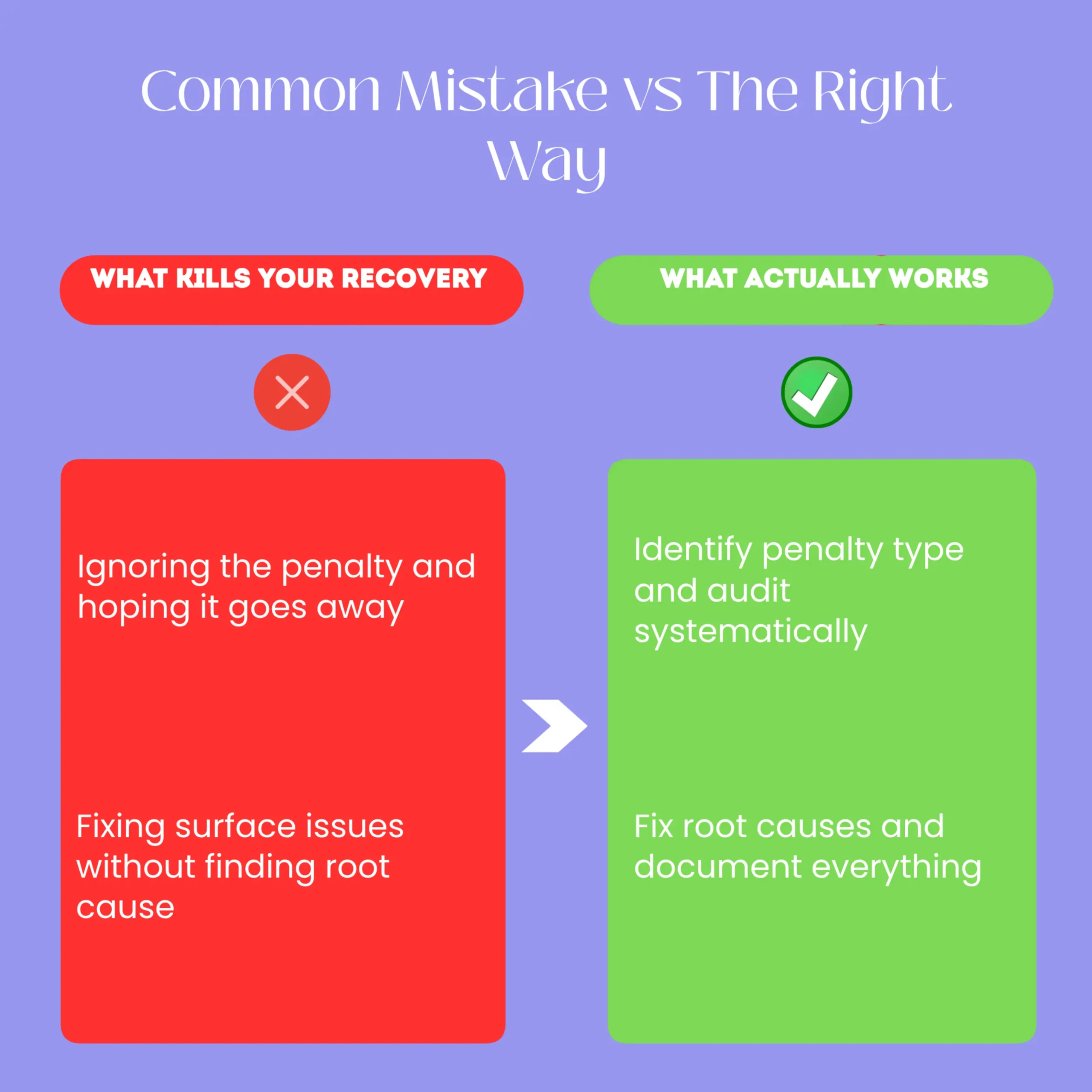
Mistake 1: Ignoring the Penalty and Hoping It Goes Away
Some business owners see a traffic drop and assume it is temporary. They wait weeks or months without taking action.
Google penalties do not go away on their own. They get worse.
If you have a manual penalty, Google will keep it in place until you fix the problem and request a review. If you have an algorithm penalty, your traffic will stay down until you fix the underlying issues.
Start investigating today. Every week you wait is money lost.
Mistake 2: Fixing Symptoms Instead of Root Causes
A business owner sees they have toxic backlinks, so they disavow them. But they never ask why they had toxic backlinks in the first place.
Maybe they hired a cheap SEO agency that built spammy links. If they do not fire that agency, the agency will keep building spammy links and the penalty will return.
Always ask: Why did this happen? What process or decision led to this violation?
Fix that process, not just the symptom.
Mistake 3: Submitting a Reconsideration Request Too Early
Business owners get impatient. They fix a few things and submit a reconsideration request after one week.
Google rejects it because they have not actually fixed the problem. Now the business owner has to wait another 2 to 4 weeks before they can submit again.
Wait at least 3 weeks. Make sure Google has crawled your updated pages. Make sure you have actually fixed the problem.
Mistake 4: Not Fixing Technical Issues
A business owner fixes their backlinks and rewrites their content. But they never fix their slow page speed or poor mobile experience.
Google will reject their recovery request because the site still has problems. Technical issues are just as important as content and backlinks.
Test your site thoroughly before submitting anything to Google.
Mistake 5: Repeating the Same Mistakes After Recovery
After recovery, some businesses go back to their old ways. They hire another cheap SEO agency. They stuff keywords again.
Six months later, they get penalized again.
Recovery is your second chance. Use it to build sustainable SEO practices, not to go back to what got you penalized.
✅ Quick Action Checklist
- ☐ Log into Google Search Console and check for manual penalties right now
- ☐ Document your current traffic, rankings, and top pages as a baseline
- ☐ Download your backlink list and identify toxic links
- ☐ Audit your top 50 pages for thin content, keyword stuffing, and low quality
- ☐ Test your site for mobile responsiveness, page speed, and cloaking
- ☐ Create a spreadsheet listing every fix you need to make
- ☐ Disavow toxic backlinks and contact site owners for removal
- ☐ Rewrite thin content pages to at least 500 words with real value
Ready to Recover from Your Google Penalty?
Recovery is possible, but it requires systematic work. You must identify the penalty type, fix the root cause, and document your changes before Google will lift the penalty.
Most Kenyan businesses recover in 4 to 8 weeks by following this exact process. If you are unsure about any step or if your site is complex, hiring an SEO professional to audit and guide your recovery will save you time and money.
Start with the Quick Action Checklist above. Do one item today.
Frequently Asked Questions
How long does it take to recover from a Google penalty?
Manual penalties typically take 4 to 8 weeks to recover after you fix the issues and submit a reconsideration request. Algorithm penalties can take 2 to 6 months. The timeline depends on the severity of the violation and how thoroughly you fix it.
Can I recover from a Google penalty without hiring an SEO professional?
Yes, but it is harder. You need to understand Google’s guidelines, know how to audit a site for violations, and be able to fix technical issues. Many business owners get stuck and end up hiring someone anyway, but later. Getting help early usually saves money.
Will my site ever rank as high as before the penalty?
Yes, usually higher. After recovery, your site will have better content, cleaner backlinks, and better technical health. This often leads to better rankings than before the penalty. However, it takes time and consistent effort.
What if Google rejects my reconsideration request?
If your request is rejected, Google will explain why. Usually it means you did not fully fix the problem. Go back and fix it more thoroughly, then wait another 3 to 4 weeks before submitting again. Do not submit immediately after rejection.
Can I get penalized again after recovery?
Only if you repeat the same mistakes. After recovery, focus on creating genuinely useful content, building legitimate backlinks, and maintaining good technical health. Avoid shortcuts and cheap SEO tactics.
Additional Resources
- SEO Services in Kenya Vs Social Media Ads in Kenya – Understand why investing in penalty recovery and long-term SEO delivers better ROI than relying solely on paid ads after a traffic drop.
- The Three Sales Moments Your Social Media Ads Can’t Capture – Kenyan SEO Expert Explains – Learn how organic search captures customers at critical decision moments that paid ads miss, making penalty recovery essential for sustainable growth.
- Why Isnt My Marketing Working Quiz – Take this quiz to diagnose whether a Google penalty or other marketing issues are causing your traffic and lead problems.
- Free SEO Analysis Audit – Get a professional audit that identifies penalties, technical issues, and content problems holding back your site’s recovery.
- 5 SEO Mistakes I’Ve Seen In Almost Every Kenyan Business (And How To Fix Them) – Discover the common SEO mistakes that trigger penalties in the first place and how to avoid them after recovery.
- Why Isn’T My Marketing Working? A Kenyan Business Owner’S Honest Diagnosis – Diagnose whether your traffic drop is from a Google penalty or other marketing failures, and get a clear recovery path.
Take the Next Step
If you are not sure whether your site has been penalized or what to fix, we can help. We have recovered dozens of Kenyan businesses from Google penalties and we know exactly what Google is looking for.
Contact AM Digital KE today for a free penalty audit and recovery plan.