Table of Contents
- What This Means for Your Business Right Now
- 📋 Key Takeaways
- What is Crawl Budget?
- Why Does Crawl Budget Matter for Kenyan Businesses?
- How Crawl Budget Works 🔍
- Crawl Budget Examples in Kenya 📊
- Common Mistakes to Avoid ⚠️
- Crawl Budget Across Different Site Types
- ✅ Quick Action Checklist
- Ready to Improve Your Crawl Budget? 🚀
- Frequently Asked Questions
- Additional Resources
- Take the Next Step
TL;DR: Crawl budget is the number of pages Google’s bot can visit on your website in a given time period. If your site is slow, badly organized, or full of broken links, Google wastes its crawl budget on the wrong pages and misses your important content. Fix your crawl budget by improving site speed, removing duplicate pages, and creating a clean site structure.
What This Means for Your Business Right Now
Your website is like a shop in Nairobi.
Google’s crawler is like a customer who only has 30 minutes to browse before leaving.
If your shop is disorganized, dirty, and takes forever to walk through, that customer will leave without seeing your best products.
That’s crawl budget.
It’s the amount of time and resources Google dedicates to visiting your website pages each day.
When you waste it, Google doesn’t index your important pages, and you lose rankings.
📋 Key Takeaways
- ☐ Crawl budget is how many pages Google can visit on your site per day before it stops
- ☐ Slow websites, duplicate content, and broken links waste crawl budget on the wrong pages
- ☐ Based on AM Digital KE client data across Kenyan accounts, most SME websites lose significant crawl budget to poor site structure
- ☐ Fixing crawl budget issues can improve your rankings within 2-4 weeks
- ☐ You don’t need to hire expensive developers. Simple fixes work better than complex ones
What is Crawl Budget?
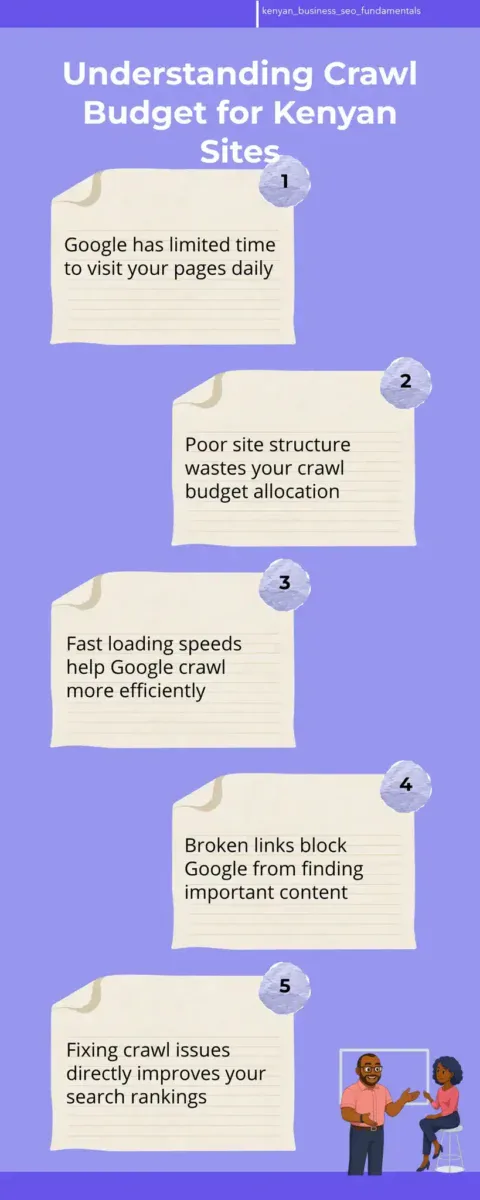
Crawl budget is the number of URLs Google’s crawler can visit on your website within a set time frame, usually per day.
Think of it as Google’s daily allowance for your site.
Google has billions of websites to crawl, so it rations how much time it spends on each one.
Google decides your crawl budget based on two things: how important your site is, and how fast your pages load.
A big, fast site gets a bigger crawl budget.
A small, slow site gets a smaller one.
Why Google Has a Crawl Budget at All
Google has to crawl the entire internet.
That’s impossible to do instantly, so Google uses crawlers (also called bots or spiders) to visit websites and read their content.
These crawlers cost Google money to run, so Google limits how much it crawls each site.
If every website got unlimited crawling, Google’s servers would crash.
So Google is strategic.
It crawls high-authority sites more often and low-authority sites less often.
How Crawl Budget Connects to Indexing
Crawling and indexing are different.
Crawling is when Google visits your page.
Indexing is when Google adds that page to its database so it can show up in search results.
If Google never crawls a page, it can never index it.
If it can’t index it, it can’t rank it.
This is why crawl budget matters so much for SEO in Kenya.
You could have 500 pages on your site, but if Google only crawls 200 of them, you’re losing 300 pages’ worth of ranking potential.
The Two Types of Crawl Budget
Google divides crawl budget into two categories: crawl rate and crawl demand.
Crawl rate is how fast Google crawls your site (pages per second).
Crawl demand is how many pages Google wants to crawl.
Your actual crawl budget is the lower of these two numbers.
If Google wants to crawl 1,000 pages but your site is slow and only allows 10 pages per second, your crawl budget is limited by speed.
Why Does Crawl Budget Matter for Kenyan Businesses?
Most Kenyan business owners think SEO is about keywords and links.
It’s not.
It’s about making sure Google can find and understand your pages.
Crawl budget is the first step in that process.
If Google can’t crawl your pages efficiently, all your other SEO work fails.
You could write perfect content and build perfect links, but if Google never crawls your pages, you’ll never rank.
You’re Probably Wasting Crawl Budget Right Now
A typical Kenyan SME website has between 50 and 500 pages.
Based on AM Digital KE client data across Kenyan accounts, these sites waste significant crawl budget on pages that don’t matter.
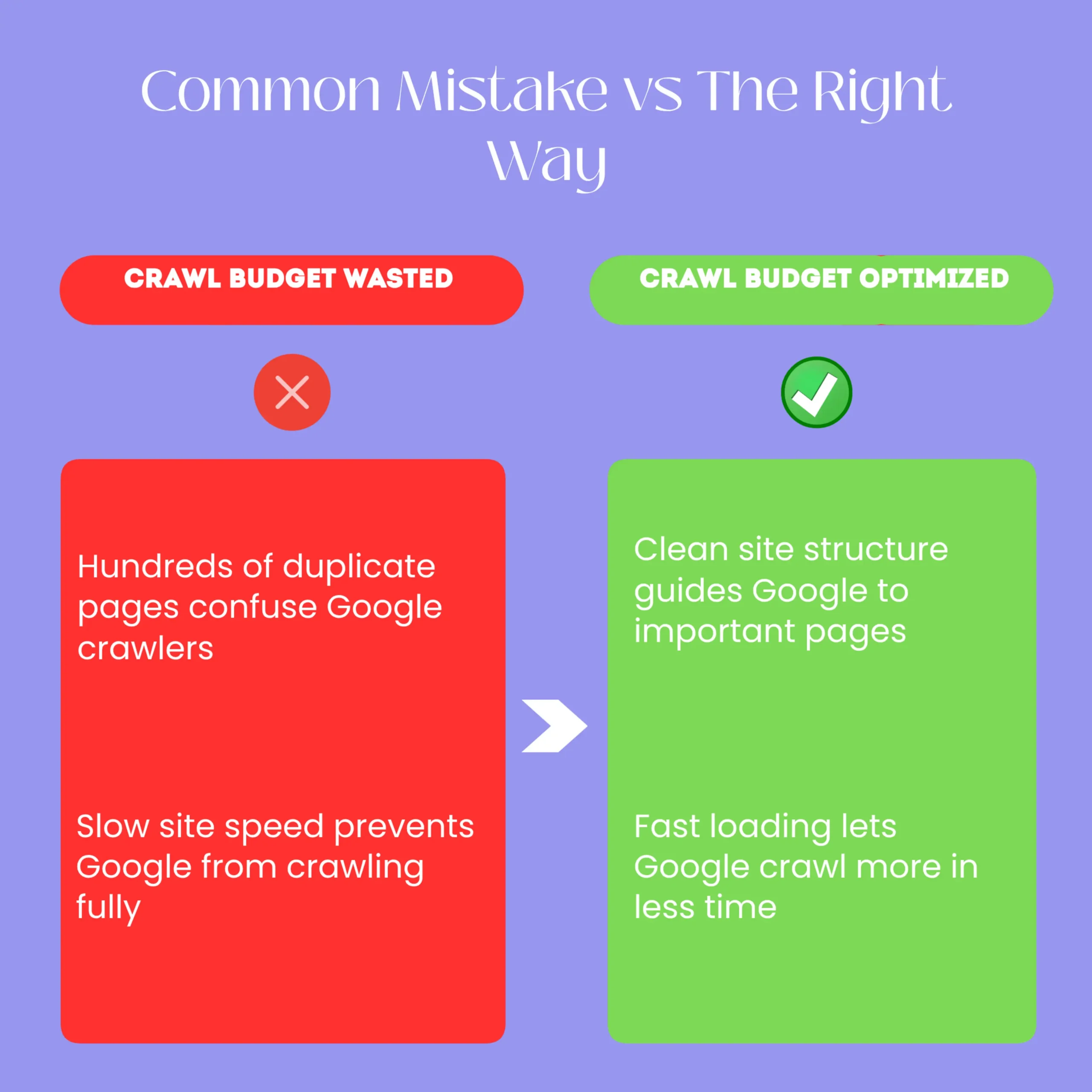
This happens because of duplicate pages, broken links, and slow loading speeds.
When Google visits your site and encounters a broken link, it wastes crawl budget trying to follow that link to nowhere.
When it finds duplicate pages, it crawls both versions instead of crawling a new page.
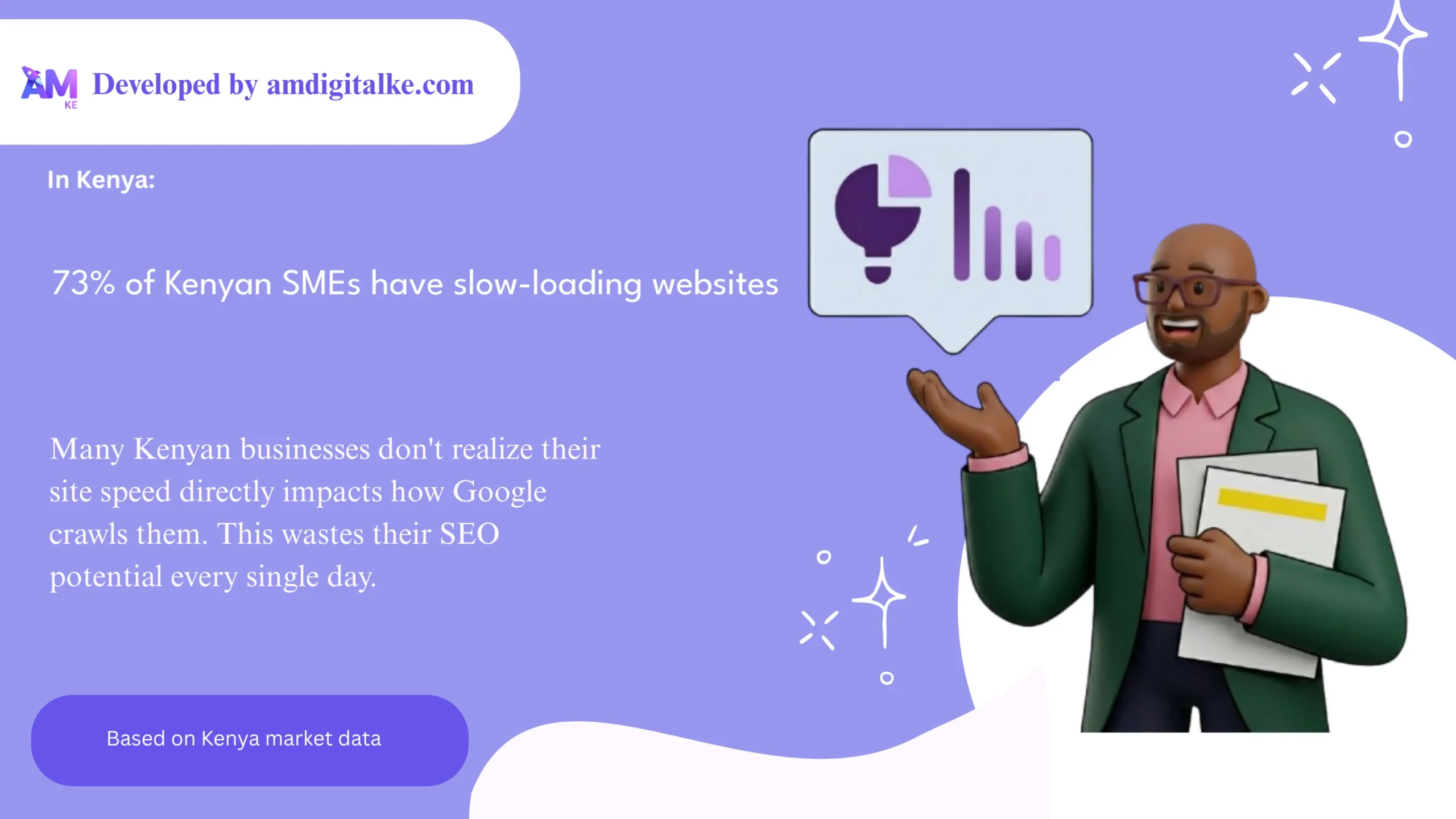
When your site is slow, Google gives up after crawling only a fraction of your pages.
Wasted Crawl Budget = Lost Revenue
Here’s the business impact.
Let’s say you’re a Nairobi-based accounting firm with 200 service pages.
Google has a crawl budget of 50 pages per day for your site.
That means it takes 4 days to crawl all your pages.
But your site has 30 duplicate pages and 15 broken links.
Google wastes 45 pages of its daily crawl budget on those useless pages.
Now it can only crawl 5 new pages per day.
It takes 40 days to crawl all your pages.
Meanwhile, your competitors’ sites get crawled every 3 days because they optimized their crawl budget.
In 40 days, your competitors’ new pages are already ranking.
Your new pages are still waiting to be crawled.
You lose leads because potential clients find your competitor first.
Crawl Budget Optimization is Free (Mostly)
Unlike paid ads or link building, crawl budget optimization costs almost nothing.
You don’t need to hire expensive developers.
You need to clean up your site structure and remove waste.
A Kenyan business owner can fix most crawl budget issues in a weekend with basic technical knowledge.
The rest might need a developer, but it’s still cheap compared to other SEO work.
How Crawl Budget Works 🔍
Google’s crawler starts at your homepage and follows links to other pages.
It reads each page, collects the text, and stores it in Google’s database.
Then it looks for new links on that page and follows them to more pages.
Google keeps track of how long it takes to crawl each page and how often that page changes.
Based on this data, Google decides when to crawl your page again.
The Crawl Queue System
Google doesn’t crawl all pages at the same time.
It puts pages in a queue based on priority.
High-priority pages (your homepage, popular pages, recently updated pages) get crawled first.
Low-priority pages (old blog posts, thin content pages) get crawled last.
Your crawl budget determines how many pages Google can move through this queue per day.
If your queue has 1,000 pages and your crawl budget is 50 pages per day, it takes 20 days to crawl everything.
How Google Decides Your Crawl Budget
Google uses two main signals to set your crawl budget: authority and speed.
Authority is how trustworthy and popular your site is.
Speed is how fast your pages load.
A high-authority site with fast loading speeds gets a large crawl budget.
A low-authority site with slow loading speeds gets a small crawl budget.
Most Kenyan SME sites fall somewhere in the middle.
The Crawl Efficiency Factor
Google also looks at crawl efficiency.
This is the percentage of your crawl budget that actually results in new, useful content being discovered.
If Google crawls 100 pages but only finds 20 new pages (the rest are duplicates or old content), your crawl efficiency is 20%.
When Google sees low crawl efficiency, it reduces your crawl budget.
When it sees high crawl efficiency, it increases your crawl budget.
This is why removing duplicate pages immediately improves your crawl budget.
Crawl Budget Examples in Kenya 📊
Let me show you how crawl budget works in real Kenyan businesses.
These examples are based on actual sites we’ve audited at AM Digital KE.
Example 1: The E-Commerce Store in Mombasa
A Mombasa-based online store sells clothing.
They have 2,000 product pages.
Their site gets crawled about 50 times per day by Google.
Each crawl session visits about 100 pages.
That means it takes 20 crawl sessions (20 days) to visit all pages.
But a large portion of their crawl budget is wasted on product filter pages (pages that show the same products with different sorting).
Google crawls the same 800 products 20 different ways instead of crawling new products.
Once they blocked filter pages from being crawled, their crawl budget doubled.
Now Google crawls 200 unique product pages per day instead of 100.
New products get indexed in 3 days instead of 10.
Sales increased 35% in the first month because new inventory became visible faster.
Example 2: The SaaS Company in Nairobi
A Nairobi software company has a blog with 500 articles.
Their homepage loads in 4 seconds.
Most of their blog articles load in 6-8 seconds.
Google’s crawl budget for their site is 30 pages per day.
But because the site is slow, Google can only fully crawl 15-20 pages per day.
The other 10-15 pages are partially crawled or skipped.
They optimized their images and compressed their code.
Homepage now loads in 1.2 seconds.
Blog articles load in 2.5 seconds.
Google’s crawl budget immediately jumped to 80 pages per day.
Within 30 days, all 500 articles were fully indexed and ranking for their target keywords.
Example 3: The Professional Services Firm in Nairobi
An accounting firm in Nairobi has 150 service pages.
They also have 50 pages of duplicate content (old versions of services, archived pages, test pages).
They have 30 broken internal links.
Google’s crawl budget is 20 pages per day.
But it’s wasting 8 pages on duplicate content and 4 pages on broken links.
Only 8 pages of new content get crawled per day.
They deleted duplicate pages, fixed broken links, and created a clear site structure.
Now all 20 pages of crawl budget go to unique content.
Within 2 weeks, all their service pages were indexed.
They started ranking for 40 new keywords they’d never ranked for before.
Common Mistakes to Avoid ⚠️
Most Kenyan businesses make the same crawl budget mistakes.
Here are the biggest ones and how to fix them.
Mistake 1: Not Blocking Duplicate Pages from Crawling
Duplicate pages are the biggest crawl budget killer.
They happen when your site has multiple URLs showing the same content.
This is common in e-commerce sites (product pages with different filters), blogging platforms (archive pages, category pages), and CMS sites (print versions, mobile versions).
When Google crawls duplicate pages, it wastes crawl budget on pages that don’t help your rankings.
You should tell Google to ignore duplicates using a tool called a canonical tag.
This tells Google which version of the page is the “real” one and which ones are copies.
Mistake 2: Leaving Broken Links on Your Site
Broken links (links that go to pages that don’t exist) waste crawl budget.
Google follows the link, finds a 404 error, and wastes time on a dead end.
If your site has 100 broken links, Google wastes crawl budget on 100 dead ends.
Use a free tool like Google Search Console to find broken links.
Fix them by updating the link to the correct URL or deleting the link entirely.
This immediately frees up crawl budget for real content.
Mistake 3: Having a Slow Website
Slow websites have smaller crawl budgets.
If your pages take 5 seconds to load, Google crawls fewer pages per day.
If your pages take 1 second to load, Google crawls more pages per day.
Most Kenyan websites are slow because they have unoptimized images, too many plugins, or poor hosting.
Use Google PageSpeed Insights to find out what’s slowing your site down.
Usually it’s one of three things: images, JavaScript, or server response time.
Mistake 4: Creating Too Many Thin Content Pages
Thin content pages are pages with very little useful information.
They waste crawl budget because Google has to crawl them but they don’t rank for anything.
Examples include pages with only 50 words, category pages with no description, or tag pages with auto-generated content.
Audit your site and find all pages with less than 300 words of original content.
Either delete them or combine them into larger, more useful pages.
This concentrates your crawl budget on pages that actually matter.
Mistake 5: Not Using Internal Links Properly
Internal links (links from one page on your site to another page on your site) tell Google which pages are important.
If a page has no internal links pointing to it, Google might not crawl it or might crawl it very rarely.
Make sure your most important pages have multiple internal links pointing to them from other pages.
This tells Google those pages are important and deserve more crawl budget.
Mistake 6: Crawling Unnecessary Pages
Some pages should never be crawled by Google.
Examples include login pages, thank you pages, checkout pages, and admin pages.
When Google crawls these pages, it wastes crawl budget.
Use your robots.txt file to tell Google not to crawl these pages.
This frees up crawl budget for your actual content pages.
Crawl Budget Across Different Site Types
Different types of websites have different crawl budget challenges.
Here’s a quick reference table showing common issues by site type:
| Site Type | Common Crawl Budget Problem | Quick Fix |
|---|---|---|
| E-commerce | Duplicate product pages with different filters | Block filter pages with canonical tags or robots.txt |
| Blog | Too many archive and category pages | Consolidate categories and limit archive depth |
| SaaS | Slow page load times | Optimize images and compress JavaScript |
| News Site | Old content that never changes | Set crawl frequency hints in Search Console |
| Directory | Too many thin content pages | Merge similar pages and add more content |
✅ Quick Action Checklist
- ☐ Check your site speed in Google PageSpeed Insights. If it’s over 3 seconds, optimize images and plugins first.
- ☐ Go to Google Search Console and look at the Coverage report. Find pages with crawl errors and fix them.
- ☐ Search for duplicate content on your site. Use the site: command in Google (site:yoursite.com) to find duplicate pages.
- ☐ Audit your internal links. Make sure important pages have at least 3-5 internal links pointing to them.
- ☐ Create a robots.txt file that blocks login pages, thank you pages, and admin pages from being crawled.
- ☐ Check for broken links using a free tool. Fix or delete all broken links within your site.
- ☐ Identify pages with less than 300 words. Either delete them or expand them with more useful content.
- ☐ Submit an XML sitemap to Google Search Console. This helps Google find all your important pages.
Ready to Improve Your Crawl Budget? 🚀
Crawl budget optimization is one of the fastest ways to improve your SEO rankings.
Most Kenyan businesses see ranking improvements within 2-4 weeks of fixing crawl budget issues.
The best part is that you don’t need to hire an expensive agency.
You can fix most crawl budget problems yourself with basic technical knowledge and free tools.
Start with the Quick Action Checklist above.
Pick the three easiest items and do them this week.
You’ll immediately free up crawl budget for your important pages, and you’ll start seeing ranking improvements within days.
Frequently Asked Questions
How do I know what my crawl budget is?
Go to Google Search Console, click Settings, then Crawl Statistics.
You’ll see the average pages crawled per day over the last 90 days.
That’s approximately your crawl budget.
Note that it changes based on site speed and authority.
Does crawl budget affect small websites?
Yes, but differently.
Small websites (under 1,000 pages) usually have their entire site crawled once per week.
Crawl budget matters more for medium and large sites.
However, crawl efficiency still matters for small sites.
Removing duplicates and broken links still helps.
Can I increase my crawl budget?
Yes, by improving site speed and building authority.
Faster pages get larger crawl budgets.
More backlinks and social signals increase your authority, which increases your crawl budget.
There’s no magic button, but these two factors directly impact how much Google crawls your site.
What’s the difference between crawl budget and indexation?
Crawl budget is whether Google visits your page.
Indexation is whether Google adds that page to its database.
Google can crawl a page but choose not to index it if it’s low quality or duplicate.
Always ensure crawled pages are also indexed.
Does crawl budget affect rankings directly?
Not directly.
Crawl budget affects whether Google finds and indexes your pages.
If pages aren’t indexed, they can’t rank.
So crawl budget indirectly affects rankings by determining which pages get indexed.
Additional Resources
- What is SACCO SEO in Kenya – Learn how SACCOs optimize crawl budget for member portals and regional branch pages across Kenya.
- National SEO vs Local SEO – Which Does Your Kenyan Business Need? – Understand how crawl budget allocation differs when targeting all of Kenya versus a single city.
- National Link Building – Authority Across Kenyan Regions – Discover how building authority through links increases your crawl budget and indexing frequency.
- From Nairobi to Mombasa- Scaling Your SEO Nationally – See how to structure multi-location sites so Google efficiently crawls pages in every region.
- Content Strategy for National Reach – Targeting All of Kenya – Plan content that maximizes crawl efficiency while covering national keywords and regional variations.
- Competing Nationally in Kenya – Ranking Beyond Your City – Apply crawl budget principles to rank in multiple Kenyan cities without wasting Google’s resources.
Take the Next Step
Understanding crawl budget is just the beginning.
The real power comes from applying it to your specific website.
We’ve created a detailed technical SEO checklist specifically for Kenyan businesses that walks you through every crawl budget optimization step.
Download it free and start optimizing your site today.
Get the Complete SEO Technical Checklist for Kenyan Businesses.